 critical cactus
VIVO Under Desk Corner Keyboard Tray is our pick for the Best Keyboard Tray for Corner Desk because its specialized corner connector plate provides a stable, dedicated mounting surface for angled workstations. The VIVO Clamp-on Corner Keyboard Tray serves as a strong alternative for users who prefer non-damaging, tool-free installation on L-shaped desks. Meanwhile, the Supcline Swivel Corner Keyboard Tray offers dual-layer clamping for enhanced stability in high-traffic office environments.
Selecting a keyboard tray for a corner desk requires careful attention to the unique geometry of L-shaped workstations. Unlike standard rectangular desks, corner setups often feature crossbars, limited depth, or beveled edges that can interfere with traditional mounting hardware. An effective tray must balance the need for a wide surface area with the physical constraints of the corner space, ensuring the keyboard remains accessible without obstructing your legs or chair movement.
When evaluating these options, we prioritize mounting versatility and ergonomic adjustability. Because corner desks vary significantly in thickness and edge profile, the ability to clamp or bolt the tray securely is paramount. Furthermore, the tray must offer enough clearance to slide or swivel out of the way, allowing you to reclaim your desktop surface when you are not typing.
If you are transitioning to a standing setup, you may also want to explore the Best Keyboard for Standing Desk to ensure your peripherals match your new ergonomic configuration.
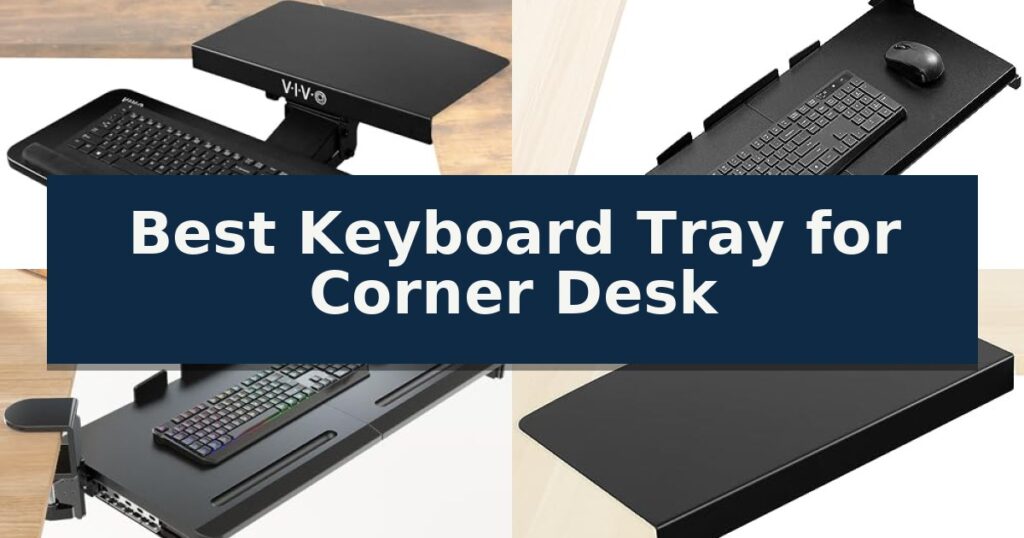
10 Best Keyboard Tray for Corner Desk in 2026 Expert Reviews
Quick Comparison
| Product | Best For | Key Strength | Score |
|---|---|---|---|
| VIVO Under Desk Corner Keyboard Tray | Best Overall | Specialized corner connector designed for L-shaped desk integration. | 4.9 |
| VIVO Clamp-on Corner Keyboard Tray | Swiveling clamps for angled setups | Independently rotating C-clamps allow for versatile mounting on corner desk configurations. | 4.4 |
| Supcline Swivel Corner Keyboard Tray | Dual-layer clamps for corner stability | 60° swivel capability allows for flexible positioning in tight corner spaces. | 4.9 |
| VIVO L-Shaped Corner Desk Platform | Adds mounting space to corners | Solid steel construction provides a stable and long-lasting mounting base. | 4.4 |
| HUANUO Swivel Under Desk Keyboard Tray | 180-degree rotation for corner access | 180-degree swivel for easy access in corner configurations. | 4.9 |
| VIVO Rotating Clamp-on Keyboard Tray | 360-degree pivot for flexible placement | 360-degree rotation for flexible positioning and storage | 4.9 |
| Suptek Corner Desk Mounting Extender | Expands surface for keyboard trays | Solid steel construction provides reliable support for daily use. | 4.5 |
| VIVO Premium Clamp-on Keyboard Tray | Adjustable tilt for ergonomic corners | 9-setting tilt adjustment for customized ergonomic typing angles. | 4.8 |
| ETHU Corner Keyboard Tray | Includes storage for small offices | Clamp-on installation requires no drilling or permanent desk modification. | 4.8 |
| XYCZXIKEC Rotatable Keyboard Tray | Sturdy swivel for corner workflows | 360-degree rotation allows the tray to tuck completely under the desk. | 4.9 |
How We Chose
To identify the most effective keyboard trays for corner desks, we evaluate how each model navigates the specific spatial constraints of an L-shaped workstation. We focus on mounting compatibility, the range of motion provided by swivel or sliding mechanisms, and the ergonomic benefits of adjustable tilt and height to ensure a comfortable, stable typing position.
- Mounting flexibility for L-shaped desk edges
- Under-desk clearance requirements and track length
- Ergonomic adjustability including tilt and height settings
- Platform surface area and weight capacity
- Compatibility with desk thickness and edge profiles
1 VIVO Under Desk Corner Keyboard Tray — Built for L-shaped corner desks
Optimizing a workstation in a tight L-shaped configuration requires equipment that adapts to unconventional angles. The VIVO Under Desk Corner Keyboard and Mouse Tray addresses this by utilizing a specialized 16.8’’ x 9.8’’ corner connector plate, allowing the tray to mount securely where standard straight-track systems often fail to align.
This deluxe 25’’ x 10’’ platform provides ample surface area for both a keyboard and a mouse. The system features a 14.25’’ track that enables the tray to slide forward and backward, while the mount itself offers full side-to-side rotation and tilting capability. These adjustments, combined with a 5’’ height adjustment range, are intended to assist in maintaining a neutral wrist position during extended typing sessions.
Installation requires attention to clearance specifications. The unit needs 7’’ of under-desk clearance for standard 90-degree corners, though this requirement can increase up to 13’’ for non-standard corner configurations. Users should also verify that their desktop thickness does not exceed 1.4’’ to ensure the corner connector plate attaches properly.
Designed for durability and comfort, the tray includes supportive rubber padding to cushion the wrists. The entire assembly weighs 10 lbs, and the manufacturer specifies a maximum weight capacity of 4.4 lbs for the tray itself. Prospective buyers must confirm that their existing desk structure can support the combined weight of the mount and the peripherals.
Best for: Users with L-shaped desks who need an ergonomic typing solution that can navigate a 90-degree corner.
Skip if: Users with desks thicker than 1.4’’ or those who lack the required 7’’ to 13’’ of vertical clearance beneath their workstation.
- Specialized corner connector designed for L-shaped desk integration.
- Full ergonomic adjustability including tilt, rotation, and height settings.
- Integrated rubber padding to enhance wrist comfort.
- Spacious 25’’ x 10’’ surface accommodates both keyboard and mouse.
- Strict clearance requirements may not fit all desk designs.
- Limited weight capacity of 4.4 lbs restricts heavy equipment usage.
2 VIVO Clamp-on Corner Keyboard Tray — Swiveling clamps for angled setups
Maximizing limited workspace on an L-shaped desk requires a mounting solution that adapts to non-linear edges. The VIVO Clamp-on Keyboard Tray for Corner Desk addresses this by utilizing independently rotating C-clamps, allowing the platform to be secured at various angles on a corner workstation.
This 26.8-inch by 11-inch platform provides a dedicated surface for a keyboard and mouse, effectively clearing clutter from the main desk surface. The assembly is designed for desks up to 1.25 inches thick, with the clamps functioning to provide a stable base while avoiding permanent damage to the furniture. It is important to note that this model is not compatible with desks featuring beveled edges.
Installation is straightforward, with all necessary hardware included to attach the tray to the desk edge. Once mounted, the tray offers a sliding mechanism that allows users to pull the keyboard forward for use and push it back under the desk when finished. This design promotes more comfortable typing angles, which can help reduce strain on the wrists and shoulders during extended work sessions.
The unit is rated to hold up to 11 lbs, accommodating standard keyboard and mouse setups. By moving peripherals off the desktop, users can reclaim valuable surface area for other tasks. The black finish provides a neutral aesthetic that integrates with most office environments, while the 3-year warranty offers long-term support for the mounting hardware.
Best for: Users with L-shaped or corner workstations who need to clear desk space while maintaining an ergonomic typing position.
Skip if: Users with desks thicker than 1.25 inches or those with beveled desk edges, as the clamps will not secure properly.
- Independently rotating C-clamps allow for versatile mounting on corner desk configurations.
- Space-saving design moves keyboard and mouse off the main desktop surface.
- Easy installation process with included hardware and no drilling required.
- Ergonomic sliding mechanism improves typing posture by positioning the keyboard lower.
- Compatibility limitations prevent use on desks with beveled edges or those exceeding 1.25 inches in thickness.
- Weight capacity of 11 lbs may limit the use of heavier mechanical keyboards or additional desk accessories.
3 Supcline Swivel Corner Keyboard Tray — Dual-layer clamps for corner stability
Optimizing a workspace often hinges on reclaiming surface area, and the Supcline Swivel Corner Keyboard Tray addresses this by utilizing a 60° swivel mechanism that mounts directly to the edge of your desk. By shifting your input devices off the main surface, this tray helps clear space on both L-shaped and standard I-shaped desks.
The system is built for stability, employing a triangular locking mechanism that supports up to 11 lbs of equipment without sagging. Users can customize their setup using four positive-stop height adjustments, which allow the tray to be positioned between 1.77 and 5.51 inches below the desktop surface. This range is designed to accommodate different seating heights and ergonomic preferences.
Installation is straightforward, utilizing dual-layer C-clamps that fit desk thicknesses from 0.3 to 1.96 inches. The clamps feature EVA padding to protect the desk finish while maintaining a firm grip. For smooth operation, the tray glides on a track system equipped with 48 precision ball bearings, ensuring the platform slides in and out with minimal resistance.
Practical design elements include a built-in mouse cord management hole to reduce cable clutter and a rear lip that prevents the keyboard from sliding off during use. The front edge is sloped to provide a more comfortable resting position for the wrists, and the overall platform measures 25.6 inches by 11.8 inches, providing sufficient room for standard full-size keyboards.
Best for: Users with L-shaped or corner desks who need to reclaim desktop space while maintaining a stable, adjustable typing platform.
Skip if: Users with desks thicker than 1.96 inches or those who require a tray that mounts permanently via screws rather than a clamp system.
- 60° swivel capability allows for flexible positioning in tight corner spaces.
- 48 precision ball bearings ensure smooth and quiet sliding action.
- Four-level height adjustment provides customizable ergonomic positioning.
- EVA-padded C-clamps protect desk surfaces from scratches during installation.
- Clamp-based mounting limits compatibility to desks under 1.96 inches thick.
- Fixed platform dimensions may not accommodate oversized ergonomic keyboards.
4 VIVO L-Shaped Corner Desk Platform — Adds mounting space to corners
Maximizing the utility of an L-shaped workstation often requires creative solutions for peripheral placement, and the VIVO L-Shaped Corner Desk Platform is engineered specifically to address this challenge. By creating a dedicated, stable surface at the corner junction, this platform provides a mounting point for under-desk keyboard trays where standard desk edges might otherwise be inaccessible or poorly shaped.
Constructed from solid steel, this platform is designed to provide a durable foundation for your typing accessories. Its 16.8’’ x 9.8’’ surface is tailored to integrate with specific VIVO under-desk keyboard trays, including models MOUNT-KB01, MOUNT-KB03B, and MOUNT-KB04C. This compatibility allows for a more ergonomic typing position by lowering the keyboard surface relative to the main desk height.
The unit features a low-profile design that maintains a clean aesthetic, finished in a neutral black that integrates with most office furniture. It is compatible with desktops up to 1.4’’ in thickness, ensuring broad utility across various standard desk materials. Because it arrives fully assembled, the installation process is straightforward, requiring only the provided hardware to secure the platform to your existing desk and keyboard tray.
While this platform is a specialized tool for corner workstations, it is important to verify that your specific desk configuration allows for the necessary clearance underneath. The steel construction ensures rigidity, but users should ensure their desk material can support the combined weight of the platform, the tray, and the keyboard equipment.
Best for: Users with L-shaped desks who need a dedicated mounting point for an under-desk keyboard tray in the corner workstation area.
Skip if: Users with desk thicknesses exceeding 1.4 inches or those whose desk frame design prevents the attachment of a clamp-style or bolt-on mounting platform.
- Solid steel construction provides a stable and long-lasting mounting base.
- Fully assembled design allows for immediate installation out of the box.
- Low-profile aesthetic blends seamlessly with most office setups.
- Optimized for corner workstations to utilize otherwise dead space.
- Limited compatibility primarily restricted to specific VIVO keyboard tray models.
- Desktop thickness limit of 1.4 inches may exclude some thicker solid wood or heavy-duty desks.
5 HUANUO Swivel Under Desk Keyboard Tray — 180-degree rotation for corner access
Optimizing a workspace with limited room requires equipment that adapts to unconventional angles, and the HUANUO Swivel Under Desk Keyboard Tray is engineered specifically for this challenge. By utilizing a 180-degree swivel mechanism, this tray allows users to pivot their input devices to face any screen in a multi-monitor or corner-desk setup without needing to reposition their chair.
Beyond its rotation capabilities, the tray provides significant ergonomic flexibility. It features 6.3 inches of height adjustment, making it suitable for transitioning between sitting and standing positions. The platform also includes a tilt adjustment range of 6 degrees up and 22 degrees down, which helps maintain a neutral wrist position during extended typing sessions.
The 25-inch by 9.84-inch surface is designed to accommodate standard keyboards up to 17.3 inches wide, leaving additional space for a mouse. To enhance comfort, an integrated wrist rest is included. When not in use, the entire assembly slides under the desk, effectively clearing the desktop surface and maintaining a clean, organized workspace.
Installation is straightforward, requiring a screw-mount attachment to the underside of the desk. Potential buyers should note that the desk must have a thickness of at least 0.6 inches to support the mount. Furthermore, users must verify that there are no crossbars or obstructions under the desk that would interfere with the 14.17-inch clearance required for the slide-out mechanism.
Best for: Users with corner desks or multi-monitor setups who require a flexible, swiveling platform to maintain ergonomic alignment.
Skip if: Users with desks featuring thick support crossbars or limited under-desk clearance, as these will prevent the tray from sliding or swiveling correctly.
- 180-degree swivel for easy access in corner configurations.
- 6.3-inch height adjustment range for sit-to-stand versatility.
- Tilt-adjustable platform to support neutral wrist positioning.
- Space-saving design that slides completely under the desk.
- Strict clearance requirements necessitate measuring for crossbars before installation.
- Requires screw-mounting, which is not compatible with all desk materials.
6 VIVO Rotating Clamp-on Keyboard Tray — 360-degree pivot for flexible placement
Maximizing limited workspace in a corner setup often requires creative hardware, and the VIVO Rotating Clamp-on Keyboard Tray offers a unique solution by utilizing a 360-degree pivot mechanism. This design allows users to swing the platform into an active position when needed and tuck it discreetly under the desk surface when not in use, effectively reclaiming valuable desktop real estate.
The tray features a 22.8” x 9.8” platform, providing a dedicated area for both a keyboard and mouse. Installation is straightforward, relying on a sturdy C-clamp that attaches to the edge of your desk. This mounting method is designed to avoid surface damage while supporting a maximum weight capacity of 11 lbs, making it suitable for most standard-sized peripherals.
Flexibility is a core component of this model, as the full swivel capability ensures the tray can be adjusted to the most comfortable typing angle for the user. Because the unit requires a 32-inch circumference for full rotation, it is particularly effective for corner desks where open space beneath the desk can be leveraged for movement.
While the VIVO Rotating Clamp-on Keyboard Tray is versatile, users must ensure their desk meets specific physical requirements. The clamp is compatible with desks up to 2 inches in thickness, but it is explicitly not compatible with lipped or beveled edges, which could prevent a secure, level attachment.
Best for: Users with limited desk space who need a retractable, swivel-mounted platform for a standard-sized keyboard and mouse.
Skip if: Users with desks featuring lipped or beveled edges, or those who require a tray with a larger surface area for oversized ergonomic keyboards.
- 360-degree rotation for flexible positioning and storage
- Damage-free installation via a sturdy C-clamp
- Space-saving design that tucks under the desk
- Adjustable typing angles for improved ergonomics
- Not compatible with lipped or beveled desk edges
- Requires 32-inch clearance for full rotational movement
7 Suptek Corner Desk Mounting Extender — Expands surface for keyboard trays
Transforming an L-shaped workstation often requires creative solutions to maximize limited surface area, and the Suptek 17-inch Black Corner Mounting Bracket Extender provides a dedicated, stable platform for under-desk keyboard trays. By utilizing an unused corner, this extension creates a functional bridge that expands your available workspace for peripherals.
Engineered with a 16.8-inch by 9.8-inch platform, this unit is constructed from solid steel to ensure robust support for your keyboard and mouse setup. Its low-profile, black design is intended to integrate into most office environments without appearing bulky or distracting from your existing desk aesthetics.
Installation is designed for efficiency, as the component arrives mostly assembled. The system features a clamp-on mechanism that accommodates desktop thicknesses up to 1.57 inches. To ensure a secure fit across various desk materials, the package includes three distinct clamp sizes.
While this extension is a practical choice for reclaiming corner space, users should verify their desk's edge clearance and thickness before installation. The Suptek 17-inch Black Corner Mounting Bracket Extender offers a straightforward, durable method for those looking to optimize their ergonomics by repositioning their keyboard tray to a more natural corner angle.
Best for: Users with L-shaped desks who need to reclaim corner space for an under-desk keyboard tray or additional peripheral storage.
Skip if: Users with desk edges thicker than 1.57 inches or those whose desk design lacks the necessary clearance for a clamp-on mounting system.
- Solid steel construction provides reliable support for daily use.
- Includes three clamp sizes to ensure compatibility with various desk thicknesses.
- Mostly assembled design allows for a quick and straightforward installation.
- Low-profile aesthetic integrates seamlessly into most office setups.
- Limited to desk thicknesses up to 1.57 inches, which may not suit all heavy-duty or thick-topped desks.
8 VIVO Premium Clamp-on Keyboard Tray — Adjustable tilt for ergonomic corners
Optimizing a workspace with limited surface area requires equipment that integrates seamlessly into tight angles. The VIVO Premium Clamp-on Keyboard Tray addresses this by utilizing a 34-inch wide mounting span that attaches directly to desk edges, effectively moving your peripherals off the desktop to reclaim valuable room.
This tray features a highly adjustable design, offering 9 distinct tilt settings ranging from 10° to -10°. These increments allow for precise ergonomic positioning, whether you prefer a neutral, positive, or negative typing angle. The platform itself measures 27 inches by 11 inches, providing sufficient space for both a keyboard and a mouse.
Installation is designed for versatility, utilizing swivel clamps that rotate 90 degrees to accommodate various desk configurations, including corner setups. The side brackets are height-adjustable, allowing the tray to sit between 0.25 and 7 inches below the desktop surface, depending on the thickness of your table. The system is compatible with desks up to 3.4 inches thick, provided the edge is not beveled.
Constructed for stability, the unit supports up to 11 lbs of equipment. While it provides a robust solution for clearing desk clutter, users should verify they have the required 34 inches of linear edge space to accommodate the clamp-to-clamp width before installation.
Best for: Users with limited desk surface area who require an adjustable, ergonomic typing platform that mounts securely to a corner or standard desk edge.
Skip if: Users with desks featuring beveled edges or those who lack 34 inches of unobstructed edge space for the clamp mounting system.
- 9-setting tilt adjustment for customized ergonomic typing angles.
- Swivel clamp design allows for flexible installation on corner or standard desks.
- Height-adjustable brackets provide variable clearance under the desktop.
- Space-saving platform keeps keyboard and mouse off the main work surface.
- Requires 34 inches of edge space for mounting.
- Not compatible with desks that have beveled edges.
9 ETHU Corner Keyboard Tray — Includes storage for small offices
Maximizing limited workspace in an L-shaped office setup requires hardware that integrates seamlessly without permanent modifications. The ETHU Corner Keyboard Tray addresses this by utilizing a clamp-on mounting system that attaches directly to desktops up to 1.96 inches thick, eliminating the need for drilling or complex installation processes.
Beyond its mounting versatility, the tray features an extra-large surface area measuring 26.77 inches by 12.2 inches, providing ample room for both a keyboard and mouse. The design incorporates three integrated drawers, which serve as dedicated storage for office supplies or mobile devices, helping to clear clutter from the primary desk surface while maintaining a clean, professional aesthetic.
Ergonomics remain a core focus of this unit, as it is engineered to facilitate an optimal typing position that helps reduce strain on the wrists, neck, and shoulders. Constructed with a solid metal frame and finished with a rust-resistant powder coating, the tray is built for durability. It supports a maximum weight capacity of 22 pounds, ensuring stability for most standard keyboard and mouse configurations.
Compatibility is a critical consideration for this model, as it is specifically designed for L-shaped corner desks. It is important to note that the tray is not compatible with beveled-edge curves or raised-edge desktops. Users should verify that their desk width is at least 21.87 inches to ensure proper clearance and secure attachment of the mounting hardware.
Best for: Users with L-shaped corner desks who need a non-permanent, clamp-on solution with integrated storage drawers.
Skip if: Users with beveled-edge or raised-edge desktops, as the clamp-on mechanism requires a flat, standard surface for secure mounting.
- Clamp-on installation requires no drilling or permanent desk modification.
- Three integrated drawers provide additional storage for small office items.
- Durable solid metal frame with a rust-resistant powder coating.
- Large 26.77-inch surface accommodates both keyboard and mouse comfortably.
- Incompatible with beveled or raised-edge desk designs.
- Requires specific desk clearance (minimum 21.87-inch width) for proper mounting.
10 XYCZXIKEC Rotatable Keyboard Tray — Sturdy swivel for corner workflows
Maximizing limited desk space in a corner setup often requires creative mounting solutions, and the XYCZXIKEC Rotatable Keyboard Tray addresses this by utilizing a 360-degree rotating clamp design. This mechanism allows the tray to pivot fully under the desktop when not in use, effectively clearing your workspace for other tasks.
Measuring 23 by 10 inches, the platform provides sufficient surface area for standard-sized keyboards and mice. By positioning these peripherals below the desk surface, the tray promotes a more neutral typing posture, which is a primary goal for those seeking improved ergonomic alignment during extended work sessions.
Installation is designed to be straightforward, with all necessary hardware included. The clamp system accommodates desks up to 2 inches in thickness, though it is important to note that this model is not compatible with lipped or beveled desk edges. Users should verify their desk edge profile before installation to ensure a secure fit.
The unit supports a weight capacity of up to 11 lbs, which is suitable for standard office hardware. Because the tray requires a 32-inch clearance for its full rotation, it is best suited for corner desks or workstations that offer sufficient open space beneath the mounting point to allow the swivel arm to move freely.
Best for: Users with limited desk surface area who need a space-saving, swivel-mounted solution for their keyboard and mouse.
Skip if: Users with desks featuring lipped or beveled edges, or those who lack the 32-inch clearance required for the tray to rotate fully.
- 360-degree rotation allows the tray to tuck completely under the desk.
- Ergonomic positioning helps lower the keyboard and mouse to a more natural typing height.
- Space-saving design clears the desktop surface when the tray is not in use.
- Simple clamp installation requires no permanent modifications to the desk.
- Incompatibility with lipped or beveled desk edges limits installation options.
- Requires 32 inches of clearance for the full rotation range.
- Maximum desk thickness of 2 inches may not fit thicker specialized workstations.
Best Keyboard Tray for Corner Desk Buying Guide
Understanding Mounting Requirements
Corner desks often present unique challenges for mounting hardware due to the intersection of two desk surfaces. Before purchasing, verify if your desk has a crossbar or support beam that might interfere with the track or clamp mechanism.
Some trays require a flat, unobstructed underside, while others use C-clamps that attach to the edge. Always measure the available depth under your desk to ensure the tray can slide or rotate without hitting structural components.
Ergonomics and Typing Comfort
A primary benefit of a keyboard tray is the ability to position your peripherals at a lower, more natural height than the desktop surface. Look for models that offer height adjustment to help keep your wrists in a neutral position.
Tilt functionality is another critical feature for long-term comfort. Being able to angle the keyboard downward can significantly reduce wrist strain, though you should ensure the tray locks securely in place to prevent the keyboard from sliding during use.
Space-Saving Functionality
The main advantage of a corner keyboard tray is its ability to clear clutter from your workspace. Models that feature a full 360-degree swivel or a smooth sliding track allow you to tuck the keyboard away completely when not in use.
Consider the footprint of the tray when fully extended. Ensure that your chair arms or legs do not collide with the tray when it is in the active position, as this can lead to an awkward and unproductive typing posture.
Weight Capacity and Stability
Stability is essential for a positive typing experience. A tray that wobbles or sags under the weight of your hands will quickly become a source of frustration and may even cause equipment damage.
Check the weight capacity of the tray against the combined weight of your keyboard and mouse. Solid metal construction and high-quality ball-bearing tracks generally provide the most reliable support for daily professional use.
Compatibility with Desk Thickness
Clamping mechanisms are highly convenient but are limited by the thickness of your desk. Most clamps are designed for standard desk thicknesses, typically up to 1.5 or 2 inches.
If your desk has a beveled or lipped edge, standard C-clamps may not seat properly. Always confirm that the mounting system is compatible with your specific desk edge profile to avoid instability or potential damage to the desktop finish.
Frequently Asked Questions
Will these trays fit all L-shaped desks?
Not necessarily. You must check for under-desk obstructions like crossbars and ensure your desk edge is flat and not beveled, as many clamps require a specific surface profile.
Can I install these without drilling holes?
Yes, many models use C-clamps that secure to the desk edge, providing a non-damaging installation option. However, some permanent mounts require screws for maximum stability.
How much clearance do I need under my desk?
This varies by model. Some require as little as 7 inches, while others may need up to 13 inches to accommodate the track and swivel mechanism.
Do these trays accommodate both a keyboard and a mouse?
Most of the models listed feature wide platforms designed to hold both a standard keyboard and a mouse comfortably side-by-side.
What is the benefit of a tilting tray?
A tilting tray allows you to adjust the angle of your keyboard, which can help maintain a neutral wrist position and reduce strain during extended typing sessions.
Conclusion: Our Top Pick
Our top pick is VIVO Under Desk Corner Keyboard Tray. Choosing the right keyboard tray for a corner desk depends largely on your specific desk's edge profile and the available clearance underneath. Prioritize models that offer robust clamping or mounting hardware to ensure stability during daily use.
By selecting a tray that provides both ergonomic adjustments and a space-saving design, you can significantly improve your workstation's comfort and efficiency. Always double-check your desk's dimensions before finalizing your purchase to ensure a perfect fit.