 critical cactus
VIVO MOUNT-KB10C Keyboard Tray is our top choice for the Best Keyboard Tray for L Desk, offering a specialized swiveling clamp design that accommodates the unique geometry of corner workstations without requiring permanent desk modifications.
L-shaped desks present specific challenges for mounting accessories, as the corner area often lacks the depth or structural clearance found on standard rectangular surfaces. Selecting a tray requires balancing the available mounting width against the need for a stable, ergonomic typing surface that does not interfere with the desk's support frame.
For those seeking alternative configurations, the ETHU Corner Keyboard Tray provides a smooth-sliding experience for users who prefer a more traditional rail-mounted feel, while the VIVO MOUNT-KB03B-C Corner Keyboard Tray is optimized for angled workstations requiring a more compact footprint.
For those looking to optimize their specific workstation layout, our guide on the Best Keyboard Tray for Corner Desk provides additional insights into managing unique corner clearances. If you are also considering options for standard surfaces, you may find our Best Keyboard Tray for Desk article helpful for comparing broader mounting styles.
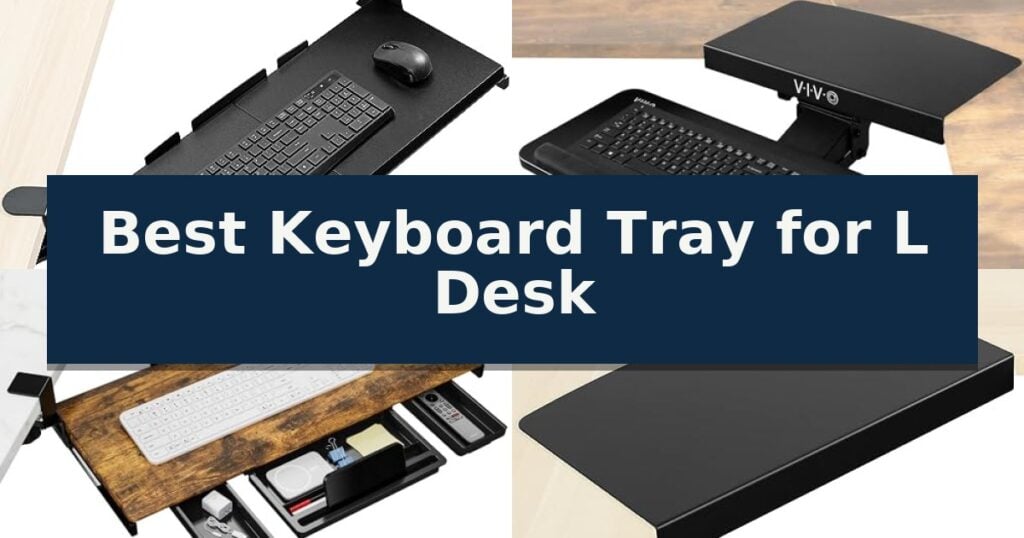
10 Best Keyboard Tray for L Desk in 2026 Reviews
Quick Comparison
| Product | Best For | Key Strength | Score |
|---|---|---|---|
| VIVO MOUNT-KB10C Keyboard Tray | Best Overall | Clamp-on design prevents damage to the desk surface. | 4.9 |
| VIVO MOUNT-KB03B-C Corner Keyboard Tray | Optimized for Angled Workstations | Corner-optimized design specifically for L-shaped workstations. | 4.4 |
| ETHU Corner Keyboard Tray | Smooth Sliding for L-Shaped Desks | Clamp-on installation requires no drilling or permanent desk modification. | 4.7 |
| VIVO DESK-AC07S Corner Connector Platform | Essential for Corner Mounting | Solid steel construction for long-term durability. | 4.8 |
| Strifuture SF-KT-04 Keyboard Tray | Durable Metal for Corner Desks | Double C-clamp attachment allows for damage-free installation on L-shaped desks. | 4.4 |
| Klearlook KLMLFUFDMST Keyboard Tray | Includes Handy Storage Drawer | 360-degree swivel for easy storage under the desk. | 4.4 |
| VIVO MOUNT-KB04CB Rotating Keyboard Tray | Full Swivel for Flexible Placement | 360-degree rotation allows for discreet storage under the desk. | 4.8 |
| VIVO MOUNT-KB34S Adjustable Keyboard Tray | Extra Large Surface Area | Extra-large 33.8" x 11" surface accommodates both keyboard and mouse. | 4.5 |
| VIVO MOUNT-KB27HB Adjustable Keyboard Tray | Height Adjustable Ergonomic Design | Spacious 26.8" x 11" platform for keyboard and mouse | 4.4 |
| VIVO MOUNT-KB03W Keyboard Tray | White Finish for Modern Offices | Full 360-degree rotation and 5-inch height adjustment for personalized ergonomics. | 4.8 |
How We Chose
Evaluating the best keyboard tray for L desk setups requires a focus on spatial constraints and mounting versatility. An experienced reviewer prioritizes how these trays interact with corner desk frames, ensuring that the chosen hardware provides a stable, ergonomic typing surface without compromising the structural integrity of the workstation.
- Mounting Compatibility: Verification of clamp-on versus screw-in installation and desk thickness requirements.
- Corner Geometry Adaptability: Ability of the tray to swivel or pivot to fit the specific 90-degree angle of L-shaped desks.
- Ergonomic Adjustability: Availability of height, tilt, and rotation settings to promote neutral wrist positioning.
- Build Quality and Stability: Material durability and weight capacity to ensure the tray remains secure during intensive typing.
- Space Efficiency: The tray's ability to retract fully under the desk to reclaim workspace when not in use.
1 VIVO MOUNT-KB10C Keyboard Tray — Best for Corner Desk Setups
Maximizing limited desk real estate often requires creative solutions, especially when working with corner configurations. The VIVO MOUNT-KB10C Keyboard Tray addresses this by utilizing a clamp-on design that suspends your input devices below the desktop, effectively clearing valuable surface area for other tasks.
Engineered specifically for L-shaped workstations, this tray features 90-degree independently rotating C-clamps. This design allows for flexible positioning along corner edges, ensuring the tray remains secure without requiring permanent modifications or drilling into your desk. The mounting system is compatible with surfaces up to 1.25 inches thick.
The platform measures 26.8 inches in length (32.5 inches including the clamps) and provides an 11-inch depth, offering sufficient room for a standard keyboard and mouse. It is rated to hold up to 11 lbs, providing a stable base for daily typing. The sliding mechanism allows the tray to tuck away when not in use, promoting a cleaner workspace.
Installation is straightforward, with all necessary hardware included. Users should note that this model is not compatible with beveled desk edges, as the clamps require a flat, flush surface to maintain a secure grip. By providing an adjustable, ergonomic typing position, this tray helps reduce strain on the wrists and shoulders during extended work sessions.
Best for: Users with L-shaped desks who need to reclaim surface space without damaging their furniture through drilling.
Skip if: Users with desks featuring beveled edges or surfaces thicker than 1.25 inches, as the clamp mechanism will not secure properly.
- Clamp-on design prevents damage to the desk surface.
- 90-degree independent swivel allows for custom placement on corner desks.
- Ergonomic typing angle helps reduce wrist and shoulder strain.
- Easy installation with all required hardware provided.
- Not compatible with beveled desk edges.
- Limited to 1.25-inch maximum desk thickness.
2 VIVO MOUNT-KB03B-C Corner Keyboard Tray — Optimized for Angled Workstations
Maximizing workspace on an L-shaped desk often requires moving peripherals off the surface, and the VIVO MOUNT-KB03B-C Corner Keyboard Tray addresses this by utilizing a dedicated corner connector plate. This design allows the tray to mount securely into the 90-degree angle of a workstation, providing a stable platform that keeps your keyboard and mouse at an ergonomic level.
The system features a 25" x 10" platform that accommodates most standard keyboards and mice. To ensure a comfortable typing posture, the tray offers 5" of height adjustment along with tilting and full side-to-side rotation capabilities. The surface is equipped with supportive rubber padding to enhance comfort during extended use.
Installation requires specific clearance beneath your desk. For standard 90-degree corner setups, the track needs 7" of under-desk clearance, though non-standard configurations may require up to 13". The corner connector plate is compatible with desktops up to 1.4" thick, and the entire assembly slides on a 14.25" track to provide flexible positioning.
While the tray provides a robust solution for corner desks, users should verify their desk's weight capacity, as the unit itself weighs 10 lbs and supports an additional 4.4 lbs of equipment. All necessary mounting hardware is included to facilitate a straightforward setup process.
Best for: Users with L-shaped desks who need to reclaim surface space by mounting their keyboard and mouse in a corner configuration.
Skip if: Users with desks thinner than 1.4 inches or those lacking the required 7 to 13 inches of under-desk clearance for the mounting track.
- Corner-optimized design specifically for L-shaped workstations.
- Includes 5" of height adjustment and tilt functionality for ergonomic positioning.
- Supportive rubber padding integrated into the tray surface.
- Full side-to-side rotation for flexible keyboard placement.
- Specific clearance requirements of 7" to 13" may not fit all desk frames.
- Weight limit of 4.4 lbs restricts the use of heavier mechanical keyboards.
3 ETHU Corner Keyboard Tray — Smooth Sliding for L-Shaped Desks
Optimizing a workspace often requires reclaiming surface area, and the ETHU Corner Keyboard Tray addresses this by utilizing the often-wasted space beneath an L-shaped desk. This unit features a soft-close sliding mechanism that allows for smooth operation, ensuring the tray remains stable while in use.
Engineered with a solid metal frame and a rust-resistant powder coating, the tray is built for durability. It provides a generous surface area measuring 26.77 inches by 12.2 inches, which is large enough to accommodate most standard keyboards and mice. The system is rated to support a maximum weight of 22 lbs, providing a reliable platform for daily computing tasks.
Installation is designed for convenience, utilizing a clamp-on mounting system that requires no drilling. This makes it a practical choice for desks up to 1.96 inches thick. The design includes three integrated drawers, which serve as dedicated storage for office supplies or mobile devices, further helping to clear clutter from the primary desktop surface.
Compatibility is a key consideration for this model. It is specifically intended for L-shaped corner configurations and is not compatible with beveled-edge curves or raised-edge desktops. Users should verify that their desk has a minimum width of 21.87 inches to ensure proper fitment before installation.
Best for: Users with L-shaped desks looking to maximize workspace by adding an ergonomic, clamp-on keyboard platform with integrated storage.
Skip if: Users with desks featuring beveled or raised edges, or those whose desk thickness exceeds 1.96 inches.
- Clamp-on installation requires no drilling or permanent desk modification.
- Integrated three-drawer storage helps organize small office accessories.
- Solid metal frame construction with rust-resistant coating.
- Soft-close sliding rail provides smooth and controlled movement.
- Limited compatibility with non-standard desk edges such as beveled or raised profiles.
- Requires a minimum desk width of 21.87 inches for proper mounting.
4 VIVO DESK-AC07S Corner Connector Platform — Essential for Corner Mounting
Maximizing the utility of an L-shaped workstation often requires creative solutions to reclaim corner space. The VIVO L-Shaped Corner Desk Connector Platform, 17", Fits up to 1.4" Desktops | Designed for Mounting Under-Desk Keyboard Trays on Corner Workstations, Sturdy Steel, Black, DESK-AC07S provides a dedicated mounting surface specifically engineered to bridge the gap in corner workstations, allowing for the integration of under-desk keyboard trays where standard mounting might otherwise be impossible.
Constructed from solid steel, this platform is designed to provide a stable foundation for your accessories. It measures 16.8" x 9.8" and is compatible with desks up to 1.4" in thickness. The low-profile design ensures that the addition remains unobtrusive, maintaining a clean aesthetic that blends with most office environments.
Installation is streamlined as the unit arrives fully assembled and includes all necessary hardware. This platform is specifically optimized to fit VIVO under-desk keyboard tray models MOUNT-KB01, MOUNT-KB03B, and MOUNT-KB04C. By creating an extension, it allows users to position their keyboard tray at a more ergonomic height beneath the table surface, effectively utilizing previously dead space at the desk corner.
This accessory is a practical choice for those looking to improve their workstation ergonomics without replacing their existing furniture. By providing a secure, dedicated mounting point, the VIVO DESK-AC07S Corner Connector Platform offers a focused solution for users who need to adapt their L-shaped desk for better keyboard placement.
Best for: Users with L-shaped desks who need a dedicated, sturdy mounting point to install an under-desk keyboard tray in a corner workstation.
Skip if: Users with desks thicker than 1.4 inches or those who do not own one of the specific compatible VIVO keyboard tray models.
- Solid steel construction for long-term durability.
- Fully assembled out of the box for immediate installation.
- Low-profile design that maintains a clean, professional look.
- Specific compatibility with VIVO MOUNT-KB01, MOUNT-KB03B, and MOUNT-KB04C trays.
- Limited to 1.4-inch desk thickness compatibility.
- Requires specific VIVO keyboard tray models for guaranteed fitment.
5 Strifuture SF-KT-04 Keyboard Tray — Durable Metal for Corner Desks
Optimizing a workspace for an L-shaped desk requires equipment that balances stability with flexible mounting options. The Strifuture SF-KT-04 Keyboard Tray addresses this by utilizing a double C-clamp attachment system, allowing it to be secured firmly to corner or L-shaped desk configurations without the need for drilling or permanent modifications.
Built with a sturdy full metal frame and a rust-resistant coating, this tray is engineered for longevity in home and office environments. It supports up to 15 lbs, providing a stable platform for standard or mechanical keyboards. The spacious 26×13 inch surface ensures there is ample room for both a full-size keyboard and a mouse, while the ventilated design helps manage airflow to prevent overheating during extended use.
Usability is enhanced by premium slide rails that facilitate smooth, effortless movement, allowing for quick access whether you are in a sitting or standing position. The tray is designed to promote a neutral wrist and arm posture, which is essential for reducing strain during long workdays. Because the height is adjustable, it integrates well with various desk setups, making it a functional addition for those who frequently switch between postures.
This tray is a practical choice for renters or those who prefer to keep their furniture intact, as the clamp-on design leaves no damage. While it offers a robust build, users should ensure their desk edge has enough clearance for the clamps to sit flush, as the mounting hardware requires a stable, flat surface to maintain its structural integrity.
Best for: Renters and remote workers who need a stable, drill-free keyboard mounting solution for L-shaped or corner desks.
Skip if: Users with desks featuring thick support beams or beveled edges that prevent the C-clamps from achieving a secure, flush fit.
- Double C-clamp attachment allows for damage-free installation on L-shaped desks.
- Spacious 26×13 inch surface accommodates full-size keyboards and mice comfortably.
- Durable iron construction with rust-resistant coating for long-term reliability.
- Smooth gliding tracks enable easy transition between storage and active use.
- Clamp-based mounting requires specific desk edge clearance to function correctly.
- Full metal build adds significant weight compared to plastic alternatives.
6 Klearlook KLMLFUFDMST Keyboard Tray — Includes Handy Storage Drawer
Maximizing desk real estate on an L-shaped workstation requires a strategic approach to peripheral placement, and the Klearlook KLMLFUFDMST Keyboard Tray addresses this by utilizing a space-saving c-clamp fixture that mounts directly to the desk edge. This design effectively clears the surface of your desk, providing a dedicated platform for your peripherals while maintaining a clean, organized aesthetic.
The tray features a 360-degree swivel capability, allowing you to tuck the keyboard and mouse platform completely under the desk when not in use. This functionality is particularly useful for L-shaped desks where corner space is at a premium. The platform itself measures 24.4 inches by 10 inches, offering ample room for a full-sized keyboard and mouse, complete with an integrated mouse pad for smooth tracking.
Beyond simple storage, this unit functions as an all-in-one workspace organizer. It includes a built-in drawer for small office supplies, a dedicated phone slot, and a headphone hanger to keep your audio gear within reach. The construction utilizes robust materials designed to minimize wobbling during intensive typing sessions, providing a stable typing surface.
Ergonomics are supported through an adjustable tilt angle, which helps users find a comfortable wrist position to reduce strain during extended work periods. While the height is fixed, the combination of the tilt adjustment and the ability to rotate the tray allows for versatile positioning. Potential buyers should note that the unit requires a minimum table width of 35 inches for double-sided rotation or 27.5 inches for single-sided rotation, and it supports a maximum desktop thickness of 2.68 inches.
Best for: Users looking to declutter an L-shaped desk by moving their keyboard and mouse to a retractable, adjustable platform with integrated storage.
Skip if: Users who require height-adjustable keyboard trays or those whose desks have a thickness exceeding 2.68 inches or insufficient width for the rotation mechanism.
- 360-degree swivel for easy storage under the desk.
- Integrated storage drawer, phone slot, and headphone hanger.
- Adjustable tilt angle for improved ergonomic typing comfort.
- Robust construction designed to minimize wobbling.
- Fixed height limits customization for specific desk setups.
- Specific width requirements for rotation may not fit all L-desk configurations.
7 VIVO MOUNT-KB04CB Rotating Keyboard Tray — Full Swivel for Flexible Placement
Optimizing workspace efficiency on an L-shaped desk often requires reclaiming surface area, and the VIVO MOUNT-KB04CB Rotating Keyboard Tray addresses this by suspending your peripherals below the desktop. This unit features a 360-degree swivel mechanism, allowing you to rotate the platform completely out of the way when not in use, which is particularly useful for maximizing the limited corner space inherent in L-desk configurations.
The tray measures 22.8” x 9.8”, providing a dedicated surface for both a keyboard and mouse. It utilizes a sturdy C-clamp design that attaches directly to the edge of your workstation, supporting up to 11 lbs of equipment. This mounting method is designed to protect your desk surface, as it requires no drilling or permanent hardware installation, provided your desk thickness does not exceed 2 inches.
Installation is straightforward, with all necessary hardware included in the package. Once secured, the tray offers a stable typing platform that keeps your desk clear of clutter. Because the system relies on a single clamp, it requires a 32-inch clearance for the full rotational circumference to function without obstruction, a critical measurement to verify before installation on an L-desk corner.
While this tray offers significant ergonomic and space-saving benefits, it is important to note that it is not compatible with lipped or beveled desk edges. Users should ensure their desk edge is flat and uniform to allow the C-clamp to maintain a secure, level grip. The 3-year warranty provides additional assurance regarding the build quality of the mounting hardware and platform.
Best for: Users with flat-edged desks looking to reclaim surface area by tucking their keyboard and mouse away when not in use.
Skip if: Users with lipped or beveled desk edges, or those who lack the required 32-inch clearance for the tray to rotate freely.
- 360-degree rotation allows for discreet storage under the desk.
- C-clamp mounting prevents damage to the desk surface.
- Easy installation with all hardware provided.
- Sturdy construction supports up to 11 lbs.
- Not compatible with lipped or beveled desk edges.
- Requires 32 inches of clearance for full rotation.
8 VIVO MOUNT-KB34S Adjustable Keyboard Tray — Extra Large Surface Area
Maximizing surface area under an L-shaped desk requires a solution that balances reach with stability. The VIVO MOUNT-KB34S Adjustable Keyboard Tray addresses this by providing a generous 33.8" x 11" platform, designed to house both a keyboard and mouse while keeping them tucked away to reclaim valuable desktop space.
This system utilizes a swing design that allows the tray to move forward or backward across a 165-degree range, totaling 8.6" of extension. Because the height and extension adjust simultaneously without requiring tools, users can quickly transition between typing positions. The unit features a 12-step locking system that provides height adjustment from 2.2" to 6.5" below the desk surface, supporting ergonomic alignment.
Installation requires a minimum desktop thickness of 0.75" and 4" of clearance under the table surface to accommodate the mounting bracket. The tray itself weighs 9 lbs and is rated to support up to 11 lbs of equipment. It is essential to verify that the desk structure can support this combined weight before installation.
With a 3-year warranty included, this tray offers a robust build for those needing to clear their workspace. While the large footprint is ideal for full-sized peripherals, users should ensure their specific L-desk configuration provides enough unobstructed underside clearance to allow the full swinging motion.
Best for: Users needing a spacious, adjustable platform to clear desk space for full-sized keyboard and mouse setups.
Skip if: Users with desks thinner than 0.75" or those with limited underside clearance that prevents the 4" mounting requirement.
- Extra-large 33.8" x 11" surface accommodates both keyboard and mouse.
- Tool-free 165-degree swing design for flexible positioning.
- 12-step height adjustment promotes ergonomic posture.
- 3-year warranty included.
- Requires 4" of underside clearance for proper installation.
- 11 lb weight capacity limits the use of heavy accessories.
9 VIVO MOUNT-KB27HB Adjustable Keyboard Tray — Height Adjustable Ergonomic Design
Maximizing limited workspace on an L-shaped desk requires a solution that tucks peripherals away while maintaining ergonomic alignment, and the VIVO MOUNT-KB27HB Adjustable Keyboard Tray addresses this by suspending your setup beneath the desktop. This unit features a generous 26.8" x 11" platform, providing enough surface area to accommodate both a keyboard and a mouse simultaneously.
The system is designed for flexibility, offering height adjustability with five distinct set points that allow the tray to sit between 2.5" and 5" below the desk surface. This 2.4" of total vertical travel helps users find a comfortable typing angle, which can assist in reducing strain on the wrists and shoulders during extended periods of use.
Installation is straightforward, utilizing sturdy steel brackets and a sliding track mechanism that supports up to 11 lbs. The tray extends a maximum of 7.8" from the edge of your desk, ensuring it stays out of the way when not in use. To ensure a proper fit, verify that your desk provides at least 12" of clearance underneath to accommodate the track and mounting hardware.
By moving your input devices off the desktop, this tray effectively clears valuable surface area for documents or other equipment. The slide-out platform operates smoothly, allowing for a quick transition between active typing and a clean, clutter-free workspace.
Best for: Users needing to reclaim desktop surface area on an L-shaped desk while maintaining ergonomic keyboard and mouse positioning.
Skip if: Users with desks featuring thick support beams, shallow depth, or less than 12 inches of vertical clearance underneath, which would prevent the track from mounting correctly.
- Spacious 26.8" x 11" platform for keyboard and mouse
- Five-position height adjustment for ergonomic customization
- Sturdy steel construction supports up to 11 lbs
- Smooth sliding track for easy storage
- Requires 12" of vertical clearance under the desk
- Fixed extension limit of 7.8" from the desk edge
10 VIVO MOUNT-KB03W Keyboard Tray — White Finish for Modern Offices
Optimizing workspace ergonomics on an L-shaped desk often requires a flexible mounting solution that can navigate corner configurations. The VIVO MOUNT-KB03W Keyboard Tray addresses this by utilizing a dedicated track system that allows the platform to slide forward and back, providing the necessary clearance for various desk depths.
Designed for versatility, this tray features a 25" x 10" platform that accommodates both a keyboard and mouse. The unit supports a 5" height adjustment range and full side-to-side rotation, enabling users to find a comfortable typing angle. The inclusion of plush padding on the platform is intended to assist with wrist comfort during extended periods of use.
Installation requires a minimum desktop thickness of 5/8" to ensure stability. Because the tray is under-mounted, it is important to verify that the desk structure can support the 10-pound weight of the assembly. For those utilizing VIVO height-adjustable desks, a specific spacer, the MOUNT-SPACER01, is required to clear the desk frame crossbar during installation.
This model is backed by a 3-year manufacturer warranty, providing a level of support for the hardware components. The white finish offers a clean aesthetic for modern office environments, and the sliding track mechanism is designed to tuck the keyboard away when not in use, helping to maintain a clear workspace.
Best for: Users seeking an ergonomic, adjustable keyboard platform that can be tucked away to maximize desk surface area.
Skip if: Users with desks thinner than 5/8" or those with complex under-desk obstructions that prevent the installation of a 14.25" track.
- Full 360-degree rotation and 5-inch height adjustment for personalized ergonomics.
- Sliding track design allows for convenient storage under the desk surface.
- Plush padding integrated into the platform to support wrist comfort.
- 3-year manufacturer warranty included for hardware peace of mind.
- Weight limit requirements necessitate a sturdy desk capable of supporting the 10-pound tray.
- Installation constraints require specific desk thickness and may need additional spacers for certain height-adjustable frames.
Best Keyboard Tray for L Desk Buying Guide
Understanding Mounting Constraints
The primary hurdle when outfitting an L-shaped desk is the presence of support beams or crossbars often located directly beneath the corner. Before purchasing, verify the depth of your desk's apron and ensure there is enough clearance for the mounting hardware to attach securely.
Clamp-on models are generally the most versatile for these desks, as they allow for repositioning without damaging the surface. However, always confirm that your desk edge is flat and free of beveled or lipped edges, which can prevent clamps from achieving a flush, secure hold.
Ergonomics in Corner Spaces
Typing in the corner of an L-desk can force awkward wrist angles if the keyboard is placed directly on the desktop. A tray that offers tilt adjustment allows you to angle the keyboard downward, which helps maintain a neutral wrist position and reduces strain during long work sessions.
Rotation is equally important for corner setups. A tray that swivels allows you to pull the keyboard out into a more natural position relative to your chair, rather than being forced to sit perfectly square to the corner of the desk.
Surface Area and Peripheral Needs
Consider the total width of your keyboard and mouse setup when selecting a tray size. While compact trays save space, they may not accommodate full-sized mechanical keyboards alongside a mouse, leading to a cramped experience that negates the ergonomic benefits.
Look for trays that provide dedicated mouse platforms or extra width. Some designs include integrated storage, which is a helpful bonus for keeping pens, phones, or small office supplies off your main desktop surface.
Material and Durability
Keyboard trays are subject to constant movement and pressure, making build quality a critical factor. Metal frames generally offer superior durability and resistance to the wear and tear of daily sliding compared to plastic alternatives.
Check the weight capacity of the tray to ensure it can support both your keyboard and the weight of your hands while typing. A tray that wobbles or flexes under pressure can be distracting and may eventually lead to mechanical failure of the sliding track.
Installation and Maintenance
Most modern keyboard trays are designed for straightforward assembly, but the complexity can vary based on the mounting mechanism. Ensure you have the necessary tools if the unit requires screw-in installation, or verify that the included clamps are compatible with your desk's thickness.
Maintenance is typically minimal, but periodic checks of the mounting hardware are recommended to ensure the tray remains tight. If you notice the sliding action becoming stiff, a light cleaning of the tracks can usually restore smooth operation.
Frequently Asked Questions
Can I use a standard keyboard tray on an L-shaped desk?
While some standard trays work, L-shaped desks often have corner support beams that interfere with mounting tracks. It is usually better to choose a tray specifically designed for corner desks or one with a flexible clamp system.
How much desk thickness do these trays typically support?
Most clamp-on keyboard trays support desk thicknesses between 0.75 and 2 inches. Always check the specific product specifications, as exceeding the maximum thickness will prevent the clamps from securing properly.
Do I need to drill holes in my desk?
Many of the options listed are clamp-on models, which do not require drilling. However, some under-desk mounted trays do require screws to be driven into the underside of the desktop for a permanent installation.
What is the benefit of a swiveling keyboard tray?
A swiveling tray allows you to pull the keyboard out from under the desk and rotate it to a comfortable angle. This is particularly useful in corner setups where you might need to adjust your position throughout the day.
Will a keyboard tray fit if my desk has a beveled edge?
Most clamp-on keyboard trays are not compatible with beveled or curved edges because the clamps require a flat, parallel surface to grip securely. Always check your desk edge profile before purchasing.
Conclusion: Our Top Pick
Our top pick is VIVO MOUNT-KB10C Keyboard Tray. Selecting the right keyboard tray for an L-shaped desk transforms a cramped corner into an ergonomic workstation. By prioritizing mounting compatibility and the ability to adjust your typing angle, you can significantly improve your comfort and desk organization.
Whether you choose a clamp-on model for its flexibility or a rail-mounted tray for its stability, ensure the dimensions align with your specific desk's clearance and thickness. Investing in the correct hardware now will provide long-term benefits for your posture and productivity.