 critical cactus
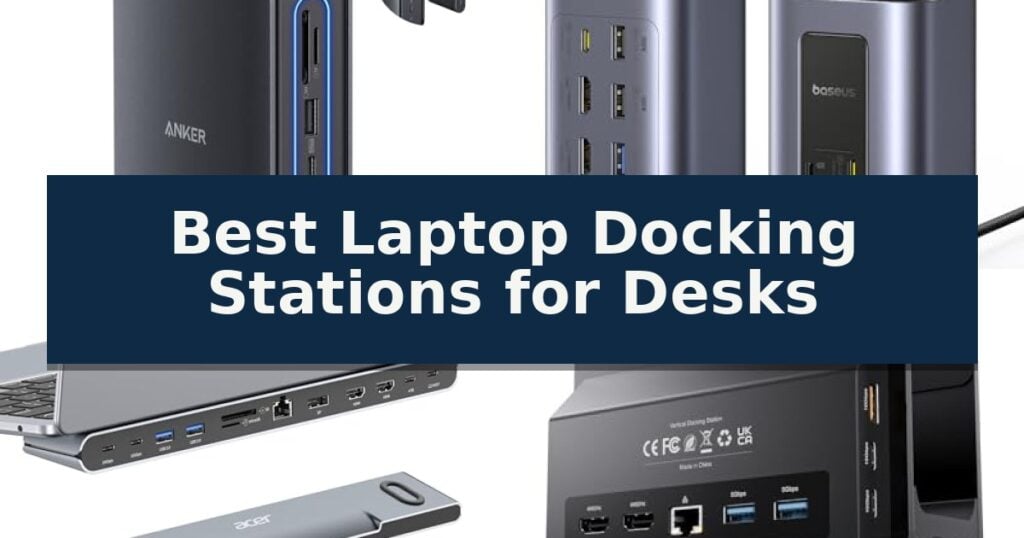
Anker Nano 13-in-1 Docking Station is our top choice for the Best Laptop Docking Stations for Desks, providing a versatile hybrid design that seamlessly transitions between a permanent desktop workstation and a portable hub. For users prioritizing high-speed dual monitor productivity, the Baseus Spacemate 12-in-1 Docking Station offers a robust alternative, while the Acer 11-in-1 Docking Station Stand serves those who need an integrated ergonomic riser to optimize their desk space.
Selecting the right dock requires balancing your specific port requirements against your laptop's native capabilities. While some models focus on maximizing the sheer number of connections, others prioritize space-saving form factors or specialized features like vertical stands or 360-degree swivels. Understanding your monitor resolution needs and power delivery requirements is essential for maintaining a stable, clutter-free environment.
For those looking to improve their overall desk ergonomics, we also recommend reviewing our guide on Best Laptop Desk Stands to find the best support for your specific setup.
10 Best Laptop Docking Stations for Desks in 2026 Reviews
Quick Comparison
| Product | Best For | Key Strength | Score |
|---|---|---|---|
| Anker Nano 13-in-1 Docking Station | Best Overall | Detachable 2-in-1 design provides both desktop connectivity and portable utility. | 4.9 |
| Baseus Spacemate 12-in-1 Docking Station | High-Speed Dual Monitor Productivity | Dual 4K@60Hz display support for high-resolution multitasking. | 4.9 |
| Acer 11-in-1 Docking Station Stand | Ergonomic Riser with Triple Display | Ergonomic riser design improves viewing angle and cooling. | 4.4 |
| PULWTOP 11-in-1 Vertical Docking Station | Space-Saving Vertical Desktop Design | 11-in-1 connectivity including dual 4K@60Hz HDMI ports. | 4.6 |
| TobenONE 18-in-1 Triple Monitor Dock | Maximum Port Expansion for Workstations | 18-in-1 expansion reduces cable clutter by consolidating power, data, and display connections. | 4.3 |
| Umaniy 8-in-1 Laptop Stand Dock | Portable Foldable Riser and Hub | Integrated 8-in-1 connectivity including HDMI, USB-A, USB-C, and card readers. | 4.4 |
| HC 9-in-1 Swivel Docking Stand | Flexible 360-Degree Viewing Angles | 360-degree swivel base for easy screen sharing. | 4.8 |
| Mukiya 8-in-1 Foldable Docking Stand | Travel-Friendly Adjustable Riser | Integrated 2-in-1 design saves desk space by combining a stand and hub. | 4.4 |
| Plugable UD-3900Z Universal Docking Station | Standardized Multi-OS Office Deployment | Dual-monitor support for M1-M5 MacBooks and other systems. | 4.5 |
| Dell Pro WD25 Docking Station | Reliable Enterprise-Grade Connectivity | Supports up to four high-resolution displays simultaneously. | 4.4 |
How We Chose
When evaluating the best laptop docking stations for desks, we focus on practical connectivity and workspace integration. An experienced reviewer prioritizes how these devices handle high-bandwidth data, monitor resolution, and power delivery to ensure a seamless transition from mobile use to a fully equipped desktop environment without compromising performance or stability.
- Display Output Capabilities: Evaluating support for multiple monitors, maximum resolution, and refresh rates to ensure compatibility with high-resolution workflows.
- Port Versatility and Speed: Assessing the variety of USB-A and USB-C ports, data transfer speeds, and the inclusion of specialized slots like SD/TF card readers.
- Power Delivery Efficiency: Verifying the wattage provided to the laptop to ensure stable charging while running multiple peripherals.
- Build and Ergonomics: Considering the physical design, such as vertical orientations, integrated stands, or detachable hubs that influence desk footprint and cable management.
- Compatibility and Connectivity: Checking for broad support across Windows and macOS, including driver requirements and host interface standards.
1 Anker Nano 13-in-1 Docking Station — Versatile Hybrid Desk and Travel
Managing a complex workstation requires hardware that can handle multiple peripherals without cluttering your desk. The Anker Nano 13-in-1 Docking Station offers a unique solution by integrating a detachable 6-in-1 portable hub into a larger desktop base, allowing you to transition from a full-scale office setup to mobile work without needing separate adapters.
This dock supports a triple display configuration via two HDMI ports and one DisplayPort, capable of driving up to 4K@60Hz for a single screen or lower resolutions for multi-monitor arrays. It serves as a central hub for your entire ecosystem, providing 13 total ports including 10Gbps USB-C data transfer, three USB-A ports, Gigabit Ethernet, and dedicated SD/TF card slots.
Power management is handled by an included 140W power adapter, which delivers up to 100W of Power Delivery to your laptop. This ensures your computer remains charged even while running high-demand peripherals like webcams, external drives, and audio equipment through a single upstream USB-C connection.
Designed for quick deployment, the system is plug-and-play and requires no driver installation, making it compatible with a wide range of Windows laptops including Dell XPS, Lenovo ThinkPad, and HP Spectre models. The unit remains inactive until a laptop is connected to the upstream port, at which point the integrated blue light strip signals that the dock is ready for use.
Best for: Professionals who need a high-performance desktop workstation that can also detach into a portable hub for travel.
Skip if: Users who require extended desktop support for multiple monitors on macOS, as this device supports mirrored mode only on Apple systems.
- Detachable 2-in-1 design provides both desktop connectivity and portable utility.
- Supports triple display setups with flexible HDMI and DisplayPort options.
- Delivers 100W Power Delivery to keep high-performance laptops charged.
- Includes a comprehensive 13-in-1 port selection for all common peripherals.
- macOS limitations restrict multi-monitor setups to mirrored mode only.
- Requires a laptop connection to activate the dock's ports and light strip.
2 Baseus Spacemate 12-in-1 Docking Station — High-Speed Dual Monitor Productivity
Managing a high-performance workstation requires reliable connectivity, and the Baseus Spacemate 12-in-1 Docking Station addresses this by consolidating peripheral management into a single hub. Designed to reduce cable clutter, this unit utilizes a 31.5-inch host cable to connect your laptop to a suite of twelve ports, including dual 4K display outputs and high-speed data interfaces.
The dock features dual 4K@60Hz HDMI outputs, enabling expanded screen real estate for data-heavy workflows or design projects. For data-intensive tasks, it provides 10Gbps transfer speeds across its USB-C and USB-A ports, ensuring rapid file movement for video editing or 3D rendering. It also includes an Ethernet port for stable 1Gbps wired networking.
Usability is enhanced by an innovative Smart Power Saving Mode. By pressing the top button for two seconds, the dock intelligently disconnects all peripheral ports while maintaining the Power Delivery (PD) connection to your laptop. This feature is designed to preserve battery life when the workstation is not in active use.
With a 100W PD charging capability, the station serves as a central power hub for compatible hardware. The unit is constructed with a compact footprint, measuring approximately 6.46 by 4.72 inches, and includes SD/TF card slots for direct media access. It is backed by a 24-month warranty to support its operational lifespan.
Best for: Users requiring dual 4K monitor support and high-speed 10Gbps data connectivity for Windows-based professional workstations.
Skip if: Users who require a built-in power adapter, as this unit does not include a charger in the package.
- Dual 4K@60Hz display support for high-resolution multitasking.
- 10Gbps high-speed data transfer ports for efficient file management.
- Smart Power Saving Mode to conserve energy and battery life.
- 100W Power Delivery for efficient laptop charging.
- Charger not included in the package, requiring a separate purchase.
- Windows-focused design may limit some functionality on non-Windows operating systems.
3 Acer 11-in-1 Docking Station Stand — Ergonomic Riser with Triple Display
The Acer 11-in-1 Docking Station Stand integrates a functional laptop riser with a comprehensive port hub, designed to optimize both desk ergonomics and connectivity. By elevating your device, it promotes better airflow for heat dissipation while providing a centralized point for all your peripherals.
Equipped with a diverse array of connections, this unit features two HDMI ports, one DisplayPort, two USB-C ports (10Gbps), two USB-A ports (5Gbps), and a Gigabit Ethernet port. It supports high-resolution outputs, including a single 8K@30Hz connection via DisplayPort or dual 4K@60Hz displays, making it a versatile choice for multi-monitor workflows.
The station includes a 100W power delivery input, capable of passing through 85W to your laptop, provided your device supports USB-C power delivery. Additionally, the inclusion of SD and MicroSD card slots facilitates high-speed data transfers at 104Mbps, catering to users who frequently manage large media files.
Designed for stability, the stand features anti-slip silicone pads to keep your laptop secure during use. The detachable USB-C cable offers flexibility in placement, and the unit is compatible with both Windows and macOS systems, though Mac users should note that macOS is limited to mirroring content across external displays.
Best for: Professionals requiring a combined laptop riser and high-speed port hub for multi-monitor setups.
Skip if: Users who require extended desktop support on macOS, as this device only supports display mirroring for Mac systems.
- Ergonomic riser design improves viewing angle and cooling.
- 11-in-1 connectivity including high-speed 10Gbps USB-C ports.
- Triple display support with 4K@60Hz capabilities.
- 100W power delivery pass-through for efficient laptop charging.
- macOS mirroring limitation restricts extended display functionality on Apple devices.
- Power adapter not included, requiring a separate 100W source.
4 PULWTOP 11-in-1 Vertical Docking Station — Space-Saving Vertical Desktop Design
Managing a cluttered workspace while maintaining high-performance connectivity requires hardware that serves multiple functions. The PULWTOP 11-in-1 Vertical Docking Station addresses this by integrating a vertical laptop stand directly into a comprehensive port hub, effectively clearing desk space while providing the necessary I/O for a dual-monitor setup.
This dock is engineered specifically for Windows environments, supporting MST (Multi-Stream Transport) to drive two independent 4K displays at 60Hz. Its connectivity suite includes two HDMI ports, five high-speed USB ports reaching 10Gbps, and a Gigabit Ethernet connection, ensuring that peripherals and high-bandwidth data transfers are handled without bottlenecking.
Beyond its display capabilities, the unit features 100W Power Delivery (PD), capable of passing through 85W of charging power to a connected laptop. The vertical orientation is not merely for aesthetics; it is designed to facilitate superior cooling for the laptop during intensive tasks, making it a functional addition to professional or gaming workstations.
Compatibility is focused on modern Windows laptops equipped with Thunderbolt 3, 4, 5, or full-featured USB-C ports. Users should note that the device requires a separate PD adapter—ideally 65W or higher—to ensure stable charging, and it is explicitly not compatible with Mac operating systems.
Best for: Windows laptop users who need to consolidate desk space with a vertical stand and require dual 4K monitor support.
Skip if: Mac users or those who do not have an external PD power adapter to facilitate laptop charging.
- 11-in-1 connectivity including dual 4K@60Hz HDMI ports.
- Space-saving vertical design that improves laptop cooling.
- High-speed data transfer via 10Gbps USB-C and USB-A Gen2 ports.
- Integrated 85W laptop charging via PD pass-through.
- Power adapter not included in the package.
- Windows-only compatibility; does not support Mac users.
5 TobenONE 18-in-1 Triple Monitor Dock — Maximum Port Expansion for Workstations
Managing a professional-grade workspace requires efficient connectivity, and the TobenONE 18-in-1 Triple Monitor Dock provides a comprehensive solution for users looking to consolidate their peripherals. By utilizing a single connection to your laptop, this station expands your capabilities with 18 ports, including nine USB connections, three HDMI outputs, and dedicated Ethernet and audio jacks.
Designed specifically for Windows and Chrome OS systems, the TobenONE 18-in-1 Triple Monitor Dock supports triple 4K@60Hz display configurations, allowing for seamless multitasking across multiple screens. This high-resolution output is ideal for complex workflows like video editing or spreadsheet management, ensuring that your visual workspace remains crisp and responsive without lag.
Efficiency is further enhanced by the inclusion of 100W PD charging, which keeps your laptop powered throughout the workday. This feature eliminates the need for a separate charger, helping to maintain a clean desk environment. Note that a power adapter is not included with the unit, and a supply of at least 65W is required for stable operation.
The unit is built to handle a wide range of peripherals, from keyboards and mice to external storage drives, through its nine integrated USB ports. With a compact footprint measuring 4.9 by 3.5 inches, it fits unobtrusively on most desks while providing the necessary expansion to turn a standard laptop into a full-featured workstation.
Best for: Windows and Chrome OS laptop users who need to drive triple 4K monitors and consolidate multiple peripherals into a single connection.
Skip if: Mac users or those who do not have a separate power adapter of at least 65W to supply the dock.
- 18-in-1 expansion reduces cable clutter by consolidating power, data, and display connections.
- Supports triple 4K@60Hz displays for high-resolution multitasking.
- Provides 100W PD charging to keep host laptops powered during use.
- Includes nine USB ports for extensive peripheral connectivity.
- Power adapter not included, requiring a separate purchase of at least 65W.
- Not recommended for Mac users due to system-specific design.
6 Umaniy 8-in-1 Laptop Stand Dock — Portable Foldable Riser and Hub
Maximizing limited desk space often requires a creative approach to cable management and peripheral organization. The Umaniy 8-in-1 Laptop Stand Dock addresses this by integrating a multi-port hub directly into a foldable, height-adjustable riser, allowing users to consolidate their workspace while elevating their device for better ergonomics.
This 8-in-1 Laptop Docking Station Stand features a 4K HDMI output capable of 3840×2160 resolution at 30Hz, which is suitable for mirroring or extending displays. Connectivity is handled through USB-A and USB-C 3.0 ports supporting 5Gbps data transfer, alongside integrated SD/TF card slots. The unit is designed for versatility, supporting laptops ranging from 10 to 17 inches, including various MacBook, Dell, HP, and Lenovo models.
Power management is a core component of the dock, offering 100W Power Delivery that provides 85W of charging power to the host laptop while reserving 15W for connected peripherals. The structure is built for portability, weighing just 0.9 lbs and folding down to a compact 10.5 x 2.2 x 0.9 inches. The stable triangular support structure includes non-slip silicone pads to maintain security, while the open design promotes airflow to assist with heat dissipation.
To ensure proper functionality, the host laptop must have a USB-C port that supports DisplayPort Alt Mode for HDMI output. The manufacturer specifies that for stable operation, the hub should not be used with high-power devices, and it supports a maximum of one external hard drive at a time.
Best for: Professionals and students who need a portable, space-saving solution that combines ergonomic laptop elevation with essential peripheral connectivity.
Skip if: Users who require high-power device support, dual 4K monitor setups, or high-speed data transfers beyond 5Gbps will find this hub's specifications limiting.
- Integrated 8-in-1 connectivity including HDMI, USB-A, USB-C, and card readers.
- 9-level height adjustment for improved ergonomic viewing angles.
- Compact, foldable design that includes a storage bag for travel.
- 100W Power Delivery provides efficient charging for the host laptop.
- Limited to 30Hz refresh rate for 4K HDMI output.
- Not suitable for high-power devices or multiple external hard drives.
7 HC 9-in-1 Swivel Docking Stand — Flexible 360-Degree Viewing Angles
Maximizing desk space while maintaining an organized, ergonomic workstation requires hardware that serves multiple roles. The HC 9-in-1 Swivel Docking Stand integrates a functional laptop riser with a comprehensive USB-C hub, allowing users to elevate their screen to eye level while simultaneously managing peripheral connectivity.
This device features a 360-degree swivel base, which facilitates screen sharing in collaborative environments without requiring the user to move the entire setup. The stand is constructed from durable aluminum alloy and incorporates a hollow heat dissipation design to help maintain optimal operating temperatures for laptops ranging from 7 to 15.6 inches.
Connectivity is handled through a 9-in-1 interface, including an HDMI port capable of 4K UHD (3840×2160@30Hz) output for dual-display setups. Data transfer is supported by two USB-A 3.0 ports and one USB-C 3.0 port, providing speeds up to 5Gbps. Additionally, a 3.5mm audio jack is included for direct sound output.
The stand utilizes a reinforced damping spindle that allows for height and angle adjustments without the need for tools. Its foldable, portable design makes it a practical choice for those who need to transition between different workspaces while maintaining a consistent ergonomic configuration.
To ensure full functionality, the host laptop must be equipped with a full-featured USB-C port (version 3.0 or higher) that supports video output. This ensures the docking station can effectively bridge the gap between a portable laptop and a full-sized desktop workstation.
Best for: Users who need to combine a height-adjustable laptop riser with multi-port connectivity and screen-sharing capabilities in a single, space-saving footprint.
Skip if: Users whose laptops lack a full-featured USB-C port supporting video output, or those requiring high-wattage power delivery for demanding workstations.
- 360-degree swivel base for easy screen sharing.
- 9-in-1 connectivity including 4K HDMI and high-speed USB 3.0 ports.
- Durable aluminum construction with integrated heat dissipation.
- Tool-free height and angle adjustment via a reinforced damping spindle.
- Requires a full-featured USB-C port on the host device for video and data functionality.
- Limited to 30Hz refresh rate for 4K resolution output.
8 Mukiya 8-in-1 Foldable Docking Stand — Travel-Friendly Adjustable Riser
Maintaining an organized workstation often requires balancing limited surface area with the need for multiple peripherals. The Mukiya 8-in-1 Foldable Docking Stand addresses this by integrating an adjustable laptop riser with a comprehensive USB-C hub, allowing users to elevate their device while simultaneously managing connectivity.
This device features a 9-level adjustable stand constructed with a stable triangular support design, accommodating laptops ranging from 10 to 17 inches. The open airflow structure is intended to assist with thermal management during intensive tasks. When not in use, the unit folds down to a compact 10.5 x 2.2 x 0.9 inches, making it a viable option for those who frequently transition between remote work locations.
Connectivity is handled through an integrated USB-C hub that supports 4K@60Hz HDMI output, provided the host laptop supports DisplayPort Alt Mode. The hub includes multiple USB-A and USB-C 3.0 ports capable of 5Gbps data transmission, alongside SD and TF card readers. Additionally, the dock supports 90W Power Delivery pass-through charging, which can power a compatible laptop while connected to peripherals.
The combination of a physical stand and port expansion serves to reduce cable clutter on small desks. By consolidating the riser and the hub into a single 0.9 lb footprint, the design prioritizes portability without sacrificing the essential ports required for a standard office or content creation workflow.
Best for: Remote workers and professionals who need a space-saving, portable solution that combines ergonomic laptop elevation with essential port expansion.
Skip if: Users who require high-speed Ethernet ports, multiple HDMI outputs for dual-monitor setups, or those whose laptops do not support DisplayPort Alt Mode for video output.
- Integrated 2-in-1 design saves desk space by combining a stand and hub.
- 9-level height adjustment allows for ergonomic positioning of 10–17 inch laptops.
- 90W Power Delivery pass-through charging keeps devices powered during use.
- Foldable, travel-friendly construction includes a carrying bag for mobility.
- Requires DisplayPort Alt Mode on the host laptop for HDMI video functionality.
- No dedicated Ethernet port for wired network connections.
9 Plugable UD-3900Z Universal Docking Station — Standardized Multi-OS Office Deployment
Maintaining a clean, efficient workspace often requires consolidating multiple peripherals into a single, reliable connection point. The Plugable UD-3900Z Universal Docking Station addresses this by providing a 10-port expansion hub that connects dual HDMI displays, peripherals, and wired networking to your laptop through a single USB-C or USB-A cable.
Designed for versatility across mixed-device environments, this dock supports Windows, macOS, and ChromeOS. It is particularly useful for users with M1 through M5 MacBooks, as it enables dual-monitor configurations that are otherwise restricted on those systems. The unit features two HDMI ports capable of 1920×1200 resolution, alongside two 5Gbps USB ports and four USB 2.0 ports for legacy devices.
The compact vertical design is engineered to minimize desk footprint, making it a practical choice for office and productivity-focused setups. While it excels at managing business software and web applications, it does not support HDCP-encrypted content, meaning it is not intended for streaming services like Netflix or Hulu, nor is it optimized for gaming.
Plugable emphasizes reliability through its expert lifetime support, providing direct access to engineers for deployment and troubleshooting. This focus on lifecycle management makes it a standard choice for IT-managed fleets, ensuring that connectivity remains consistent without the need for complex driver installations on Windows or ChromeOS.
Best for: Office professionals and IT departments needing to standardize dual-monitor workstations across mixed Windows, macOS, and ChromeOS laptop fleets.
Skip if: Users who require HDCP support for streaming protected media, high-performance gaming, or those needing a dock that provides laptop charging.
- Dual-monitor support for M1-M5 MacBooks and other systems.
- 10-port connectivity including Gigabit Ethernet and audio.
- Compact vertical footprint to save desk space.
- Expert lifetime support and direct engineering access.
- No laptop charging capability provided.
- Lacks HDCP support, preventing playback of encrypted streaming content.
- Not suitable for gaming or high-frame-rate video applications.
10 Dell Pro WD25 Docking Station — Reliable Enterprise-Grade Connectivity
Managing multiple peripherals and high-resolution monitors requires a reliable hub that keeps your workstation organized and powered. The Dell Pro Laptop Docking Station WD25 addresses this by providing a centralized connection point that supports up to four high-resolution displays, ensuring your desk remains clutter-free while maintaining high productivity.
Engineered for the modern office, this dock delivers up to 100W of power delivery to both Dell AI PCs and non-Dell laptops. Its design is notably flexible, featuring an ambidextrous USB-C cable that can be routed to either the left or right side of the device, allowing for cleaner cable management regardless of your laptop's port placement.
The unit is built with a focus on durability and environmental responsibility. It incorporates a robust USB-C connector designed for frequent use and is constructed using at least 65% post-consumer recycled materials. Furthermore, it supports energy efficiency with a 72% reduction in power consumption when in standby mode.
Connectivity is a priority, offering a variety of USB-A and USB-C ports to keep your essential accessories charged and data moving at high speeds. As part of a highly manageable commercial docking family, it is designed to integrate seamlessly into IT-managed environments, minimizing potential downtime for users.
Best for: Professionals requiring a high-capacity, multi-monitor workstation setup with reliable power delivery and flexible cable routing.
Skip if: Users who do not require multi-display support or those who prefer a more compact, portable hub for travel rather than a stationary desk-based solution.
- Supports up to four high-resolution displays simultaneously.
- Delivers up to 100W of power for efficient laptop charging.
- Ambidextrous cable routing provides flexible desk configuration.
- Constructed with 65% post-consumer recycled materials.
- Stationary, desk-focused design is not optimized for portability.
Best Laptop Docking Stations for Desks Buying Guide
Evaluating Display Requirements
Before choosing a dock, identify the number and resolution of the monitors you intend to connect. Most modern docks support dual or triple display setups, but the refresh rate can vary significantly depending on the resolution and the laptop's port capabilities.
Check whether your laptop supports DisplayPort Alt Mode, as this is often required for the dock to output video signals. Be aware that macOS often handles multiple external displays differently than Windows, frequently limiting output to mirrored modes on certain configurations.
Power Delivery and Charging
A primary advantage of a desktop dock is its ability to charge your laptop through a single cable. Ensure the dock's power delivery wattage meets or exceeds your laptop's requirements to prevent slow charging or performance throttling.
Some docks include their own power adapters, while others require you to provide a compatible USB-C charger. Always verify if the dock supports pass-through charging, which allows you to use your existing power brick to feed the dock and the laptop simultaneously.
Port Density and Data Transfer
Consider the types of peripherals you use daily, such as external hard drives, mechanical keyboards, or wired networking. Docks with 10Gbps USB ports are significantly faster for transferring large files compared to standard 5Gbps or USB 2.0 ports.
If you frequently work with photography or video, look for integrated SD or microSD card slots. These save you from needing a separate card reader and keep your desk surface clear of extra dongles.
Ergonomics and Desk Footprint
The physical shape of a docking station can dictate how much space it occupies on your desk. Vertical docks or those that double as laptop stands are excellent for small workspaces, as they elevate the computer to improve airflow and viewing angles.
If you prefer a clean, minimalist aesthetic, look for docks with detachable cables or those that allow for cable routing on either side. These features help manage the inevitable tangle of wires that comes with a multi-monitor setup.
Compatibility and Driver Needs
Most modern docking stations are plug-and-play, meaning they do not require specific drivers for basic functionality on Windows. However, some universal docks may require software like DisplayLink to enable video output on certain operating systems.
Always verify if the dock is compatible with your specific laptop brand and operating system version. Enterprise-grade docks often provide better long-term support and firmware updates, which can be critical for maintaining stability in professional environments.
Frequently Asked Questions
Do I need a specific power adapter for my docking station?
It depends on the model. Some docks come with a dedicated power supply included, while others are passive and require you to connect your laptop's own USB-C charger to the dock's power delivery port.
Can I use a docking station with a MacBook?
Yes, but check the compatibility notes carefully. Many docks support MacBooks, though macOS often limits external monitor support to mirrored displays unless specific software or hardware configurations are used.
What is the difference between a USB-C hub and a docking station?
A hub is typically smaller and designed for portability, while a docking station is usually a larger, stationary device that offers more ports, higher power delivery, and better support for multiple high-resolution monitors.
Will a docking station work if my laptop doesn't have a Thunderbolt port?
Most modern docks work with any full-featured USB-C port that supports DisplayPort Alt Mode and Power Delivery. Thunderbolt is not strictly required for basic functionality, though it provides higher bandwidth for data and displays.
How do I know if my laptop supports multiple monitors through a dock?
Check your laptop's technical specifications for 'DisplayPort Alt Mode' support. Additionally, verify the dock's own specifications to see if it supports MST (Multi-Stream Transport) for Windows, which allows for extended desktop across multiple monitors.
Conclusion: Our Top Pick
Our top pick is Anker Nano 13-in-1 Docking Station. Choosing the right docking station transforms a cluttered desk into a streamlined, professional workstation. By prioritizing the specific display, power, and port needs of your daily workflow, you can select a solution that enhances your productivity and keeps your workspace organized.
Whether you opt for a versatile hybrid model, a space-saving vertical stand, or an enterprise-grade solution, the best choice is one that integrates seamlessly with your existing hardware. Consider your long-term setup goals to ensure your investment remains useful as your peripheral needs evolve.