 critical cactus
SIBRILLE HL10 LED Desk Lamp is our pick for the Best Lamps for Gaming Desk because its dual-head design and ultra-wide coverage provide consistent, flicker-free illumination across large multi-monitor setups.
Gaming environments require a balance between functional task lighting for productivity and ambient effects for immersion. The most effective solutions integrate these needs without cluttering limited desk space, often utilizing clamp mounts or monitor-mounted bars that keep the surface clear for peripherals.
When selecting a light, consider how you interact with your space. Options with remote controls or app integration allow for quick adjustments during gameplay, while models featuring dedicated RGB zones or music-syncing capabilities add visual depth to your setup.
If you are looking for more traditional options to pair with your setup, our guide on Best Lamps for Desk offers a broader look at task lighting for various home office environments.
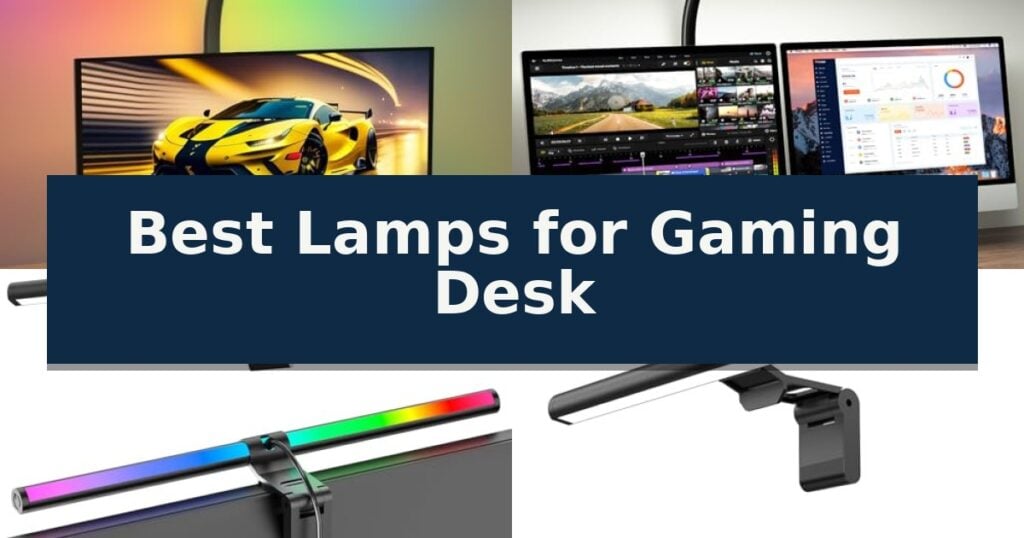
10 Best Lamps for Gaming Desk in 2026 Reviews
Quick Comparison
| Product | Best For | Key Strength | Score |
|---|---|---|---|
| SIBRILLE HL10 LED Desk Lamp | Best Overall | Ultra-wide coverage with 31.5-inch dual-head extension. | 4.9 |
| ONEMIX 42-Inch LED Desk Lamp | Four-panel design for wide illumination | Four-panel design allows for both focused and wide-angle lighting coverage. | 4.4 |
| SAMPHON SC03 RGB Monitor Light Bar | Dual-mode task and ambient lighting | Dual-mode lighting provides both task and ambient illumination. | 4.3 |
| SAMPHON SC02 Monitor Light Bar | Space-saving glare-free screen lighting | Space-saving mounting design that attaches to most screen types without tools. | 4.5 |
| Govee H6047 Gaming Light Bars | Razer Chroma sync for immersion | Razer Chroma integration for synchronized gaming setups. | 4.4 |
| Drevet LED Desk Lamp | Integrated power outlets and headphone stand | Integrated headphone stand saves desk space. | 4.7 |
| KDD KDD-832 Desk Lamp | Multi-port charging and storage base | Multi-functional design combines a lamp, pen holder, and phone stand. | 4.9 |
| Electight MXHFL1 Smart Desk Lamp | Music-syncing dynamic lighting effects | Music synchronization via built-in microphone for dynamic lighting effects. | 4.8 |
| Govee H6022 Smart Table Lamp | Matter-compatible smart home integration | Matter support ensures broad compatibility with major smart home platforms. | 4.3 |
| DSYHYL Video Game Table Lamp | Thematic decor for gaming rooms | 16 RGB colors and 10 brightness levels for versatile mood lighting. | 4.7 |
How We Chose
To identify the best lamps for gaming desk setups, we evaluate how each model balances high-intensity task lighting with customizable ambient effects. Our assessment focuses on physical footprint, ease of control during active gameplay, and the ability to minimize screen glare, ensuring that the lighting enhances rather than distracts from the gaming experience.
- Lighting coverage and adjustability for multi-monitor configurations
- Integration of RGB ambient lighting modes
- Mounting versatility and desk space footprint
- Control interface convenience including remote or app support
- Eye-care features such as flicker-free technology and glare reduction
1 SIBRILLE HL10 LED Desk Lamp — Ultra-wide coverage for dual monitors
Achieving optimal visibility and atmosphere during long sessions requires more than just standard overhead lighting. The SIBRILLE HL10 LED Desk Lamp addresses this by utilizing a dual-head design that extends up to 31.5 inches, providing ultra-wide coverage capable of illuminating desks up to 71 inches wide. This configuration is particularly effective for users managing dual-monitor setups or expansive workstations.
Beyond its reach, the lamp offers significant customization through its multi-mode lighting system. Users can toggle between 5 color temperatures ranging from 3000K to 6500K and adjust brightness levels from 10% to 100%. The integrated RGB lighting adds a distinct aesthetic, featuring 7 modes including dynamic effects and sound-rhythm synchronization, which can be controlled independently from the primary task lighting.
Usability is enhanced by the included remote control, which allows for quick adjustments to brightness, color, and timing functions without needing to reach for the lamp base. The unit also features a memory function to retain preferred settings, ensuring consistency across sessions. For those concerned with eye health, the lamp is engineered to provide flicker-free, glare-free illumination that minimizes blue light exposure.
The physical design prioritizes space efficiency with a sturdy clamp mount, making it a practical choice for crowded desks or drafting tables. While the dual-head swing arm provides extensive range and 270-degree rotation, the 22W lamp remains a focused task-lighting solution. It is a versatile tool for those who need to balance functional work lighting with customizable ambient gaming aesthetics.
Best for: Users with wide desks or dual-monitor setups who require both high-intensity task lighting and customizable RGB ambient effects.
Skip if: Users who prefer a traditional weighted base rather than a clamp-mount design or those who do not require RGB color features.
- Ultra-wide coverage with 31.5-inch dual-head extension.
- Highly adjustable 5-level brightness and color temperature settings.
- Comprehensive remote control for mode, timing, and RGB adjustments.
- Eye-protection technology designed to reduce glare and flicker.
- Clamp-mount only design restricts placement on desks without a suitable edge.
- Requires external power and remote proximity for full functionality.
2 ONEMIX 42-Inch LED Desk Lamp — Four-panel design for wide illumination
Achieving consistent, shadow-free illumination across a wide workspace is a primary challenge for any desk setup. The ONEMIX 42-Inch LED Desk Lamp addresses this by utilizing a unique four-panel design that can be adjusted to fold inward for concentrated task lighting or rotated outward to provide a broad, 1800-lumen spread across dual monitors.
This lamp offers significant customization for various activities through 25 lighting combinations, derived from five color temperatures ranging from 3200K to 6500K and five brightness levels. Users can manage these settings via onboard buttons or an included infrared remote, which also provides access to six preset modes including dedicated settings for gaming, study, and relaxation.
Designed for long-term comfort, the high-quality LEDs are engineered to be flicker-free and glare-reduced, maintaining consistent light distribution. The structural design features a 27.7-inch flexible gooseneck arm that bends up to 180 degrees, allowing for precise positioning of the light panels to suit specific desktop layouts.
Installation is streamlined with a heavy-duty metal clamp that includes anti-slip pads, capable of securing to surfaces up to 2.75 inches thick. This mounting method keeps the desk surface clear while ensuring the light remains stable during adjustments, making it a practical choice for organized home offices and gaming stations.
Best for: Users who require wide-area illumination for dual-monitor setups or complex workstations and prefer remote-controlled lighting adjustments.
Skip if: Users with very small desk footprints or those who prefer a single, non-adjustable light bar that does not require clamping to the desk edge.
- Four-panel design allows for both focused and wide-angle lighting coverage.
- 1800-lumen output provides bright, even illumination across large workspaces.
- Remote control functionality enables easy adjustments without interrupting workflow.
- Flexible 1800-degree arm and clamp mount maximize desk space efficiency.
- Clamp-mount requirement may not be compatible with all desk designs or materials.
- Large 42-inch footprint may be excessive for smaller, minimalist desk setups.
3 SAMPHON SC03 RGB Monitor Light Bar — Dual-mode task and ambient lighting
Optimizing a workspace for both productivity and gaming requires versatile lighting that adapts to changing needs. The SAMPHON SC03 RGB Monitor Light Bar addresses this by integrating a dual-mode system that provides both functional task lighting and dynamic ambient illumination in one compact, space-saving form factor.
Designed to minimize clutter, this lamp features a retractable clip with a soft silicone pad that secures to a variety of monitor types, including flat and curved screens. The 45° beam angle is engineered to direct light specifically onto the desk surface and screen, which helps reduce glare and eye fatigue during extended periods of computer use.
Performance is managed through intuitive dual tactile buttons located on the device. The left button controls the 9-mode RGB backlight, while the right button manages the 3-color temperature front light. This independent operation allows users to switch between a focused, cool beam for work and a warm, ambient glow for relaxation or gaming sessions.
Power is delivered via a universal USB-C cable, offering flexible connectivity options with laptops, power banks, or standard wall adapters. The inclusion of a smart memory function ensures that the lamp automatically recalls the last used brightness and color settings, providing a consistent lighting environment every time it is powered on.
Best for: Users seeking a space-saving, dual-purpose lighting solution that combines professional task lighting with customizable RGB ambient effects.
Skip if: Users who require a standalone desk lamp with a base or those with monitors that cannot support a top-mounted clip design.
- Dual-mode lighting provides both task and ambient illumination.
- Space-saving design mounts directly to the monitor.
- Smart memory function retains preferred lighting settings.
- Universal USB-C power for flexible placement.
- Mounting clip may not be compatible with all non-standard monitor bezels.
4 SAMPHON SC02 Monitor Light Bar — Space-saving glare-free screen lighting
Optimizing your workspace for long sessions requires lighting that reduces fatigue without cluttering your desk. The SAMPHON SC02 Monitor Light Bar addresses this by utilizing a patented counterweight clip that secures the lamp directly to your monitor, freeing up valuable surface area while providing targeted illumination.
Engineered for clarity, this 11.8-inch light bar delivers up to 800 lux of central brightness across a 30-inch by 20-inch area. Its 45-degree asymmetric optical design ensures that light is directed only onto your screen and desk, effectively eliminating screen reflections and preventing direct glare from reaching your eyes.
Versatility is central to its design, featuring stepless dimming and three selectable color temperatures ranging from 3000K to 6500K. The integrated memory function automatically recalls your preferred brightness and color settings, allowing for a consistent environment whether you are working, reading, or gaming.
Powering the unit is straightforward via a USB interface, ensuring broad compatibility with computers, power banks, or standard adapters. The mechanical switch located on the side of the lamp provides tactile control over all functions, including power, color temperature adjustments, and brightness levels.
Best for: Users seeking a space-saving, glare-free lighting solution that mounts directly to monitors for a clutter-free gaming or office setup.
Skip if: Users who require a standalone desk lamp with an adjustable arm for multi-directional lighting or those with ultra-thin monitors that may not support a counterweight mounting system.
- Space-saving mounting design that attaches to most screen types without tools.
- Asymmetric lighting that prevents screen glare and reduces eye strain.
- Stepless dimming and color temperature control with a convenient memory function.
- USB-powered for easy integration into existing computer setups.
- Limited to monitor-top placement, which may not suit all desk configurations.
5 Govee H6047 Gaming Light Bars — Razer Chroma sync for immersion
Achieving a fully immersive gaming environment often relies on dynamic lighting that reacts to your on-screen activity. The Govee RGBIC Gaming Light Bars H6047 offer a specialized solution for this, utilizing RGBIC technology to display multiple colors simultaneously on each bar for a more fluid and customizable visual experience.
These light bars are built for integration, featuring Razer Chroma support via Razer Synapse 3, which allows for synchronized lighting effects across your compatible gaming peripherals. Beyond PC integration, the system includes a Smart Desktop Dial Controller that provides immediate physical access to brightness, color, and mode adjustments without needing to navigate software menus.
The hardware is designed to respond to your environment through audio visualization, with the ability to sync with sound from both speakers and headphones. While the system offers over 60 scene modes and AI-generated lighting effects via the Govee Home App, it is important to note that this specific model does not include a camera and does not support screen color picking.
For those who prefer hands-free operation, the Govee H6047 Gaming Light Bars are compatible with Alexa and Google Assistant. This allows for voice-activated control of scene modes and power states, making it a versatile addition to a dedicated gaming desk setup that prioritizes both aesthetic customization and ease of use.
Best for: Gamers who want to integrate their desk lighting with Razer Chroma and require physical dial controls for quick adjustments.
Skip if: Users who specifically require screen-mirroring or color-matching technology, as this model does not include a camera for screen color picking.
- Razer Chroma integration for synchronized gaming setups.
- Smart Desktop Dial for convenient, tactile control.
- RGBIC technology allows for multi-color effects on a single bar.
- Audio synchronization works with both speakers and headphones.
- No camera included, meaning it lacks native screen color picking capabilities.
6 Drevet LED Desk Lamp — Integrated power outlets and headphone stand
Managing a cluttered workspace while ensuring your devices remain powered is a common challenge for gamers and students alike. The Drevet LED Desk Lamp addresses this by integrating a functional headphone hanger directly into its base, allowing you to keep your headset accessible while maintaining a clean desk surface.
Beyond its organizational utility, this lamp serves as a central power hub for your setup. It features two AC power outlets with a total output of 1250W, providing enough capacity to power peripherals like speakers, consoles, or laptops. Additionally, a built-in USB charging port with smart detection technology automatically identifies your device to deliver an optimized charge up to 2.4 amps.
Lighting performance is tailored for versatility, offering three distinct lighting modes and three brightness levels to suit different activities, from intense gaming sessions to late-night studying. The inclusion of a 60-minute timer and a memory function ensures that your preferred settings are retained and managed efficiently without manual readjustment.
Designed with a compact footprint, this lamp is particularly suitable for environments where space is at a premium, such as dorm rooms or small home offices. The weighted base provides stability, ensuring that your headphones and connected devices remain secure while the lamp is in use.
Best for: Students and gamers who need to consolidate power, lighting, and headphone storage in a compact desk footprint.
Skip if: Users who require high-lumen task lighting for precision work or those who need more than two AC outlets for a complex multi-monitor workstation.
- Integrated headphone stand saves desk space.
- Dual AC outlets provide 1250W of power for peripherals.
- Smart USB port delivers optimized charging speeds.
- Three-mode dimmable lighting adapts to various tasks.
- Limited to two AC outlets for power-heavy setups.
7 KDD KDD-832 Desk Lamp — Multi-port charging and storage base
Managing a compact workspace requires equipment that serves multiple functions without cluttering your desk. The KDD KDD-832 Desk Lamp addresses this by integrating a lighting solution with a built-in pen holder and phone stand, effectively consolidating your desktop essentials into one small footprint.
Beyond its organizational utility, this lamp provides versatile illumination for various tasks. It features 3 natural light modes and 100% warm light settings, allowing you to switch between focused task lighting for projects and a softer glow for relaxation. A built-in memory function ensures your preferred brightness and color settings are restored every time you power it on.
The base of the unit incorporates RGB lighting with 9 distinct effects, including breathing and fast-flash modes, which can serve as ambient lighting for gaming setups or a subtle nightlight. For connectivity, the lamp is equipped with 2 Type-C ports and 1 USB port, allowing you to charge multiple devices such as tablets, phones, or power banks directly from your desk.
Designed for flexibility, the KDD KDD-832 Desk Lamp features a 360-degree adjustable gooseneck, enabling you to direct light precisely where it is needed. The unit is designed for a simple plug-and-play setup, requiring no complex installation, making it a practical addition to home offices, dorm rooms, or study areas.
Best for: Students or professionals with limited desk space who need a multi-functional device that combines lighting, device charging, and desktop storage.
Skip if: Users who require a high-intensity, professional-grade task lamp with advanced color rendering or those who prefer a minimalist aesthetic without integrated storage or RGB features.
- Multi-functional design combines a lamp, pen holder, and phone stand.
- Integrated charging hub with two Type-C and one USB port.
- 360-degree adjustable gooseneck for precise light positioning.
- Includes RGB base lighting with 9 selectable modes.
- Small physical footprint may not suit users needing a larger, more powerful light source.
- Integrated storage and charging features make the base larger than standard desk lamps.
8 Electight MXHFL1 Smart Desk Lamp — Music-syncing dynamic lighting effects
Transforming a workspace into an immersive environment often requires more than just high-performance hardware; it demands lighting that adapts to the mood of the session. The Electight MXHFL1 Smart Desk Lamp offers a unique approach to this by combining functional task lighting with an integrated atmosphere system that can synchronize with audio.
Designed with versatility in mind, this lamp features a four-section foldable design that allows for 360-degree adjustments across each segment. This construction provides a wider lighting footprint than traditional round lamps, making it suitable for illuminating larger desk surfaces. The light itself is highly customizable, offering 16 million colors and over 99 dynamic scene modes to suit various aesthetic preferences.
Functionality extends beyond simple illumination through its stepless dimming capabilities and a broad color temperature range of 3,000K to 6,500K. Users can transition from cool, focused light for study sessions to warmer tones for evening relaxation. Operation is streamlined via a dedicated remote control or the "Magic Lantern" app, which grants access to timer functions and advanced mode switching.
A standout feature for gaming setups is the music sync mode, which utilizes an internal microphone to detect audio rhythms and pulse the lights accordingly. While the atmosphere lighting does not function as a speaker, it creates a reactive visual backdrop. The unit is supported by a sturdy, stable base designed to prevent tipping, even when the lamp is configured into complex, folded shapes.
Best for: Gamers and home office users who want a highly adjustable, multi-functional lamp that can sync lighting effects with music.
Skip if: Users who require a dedicated high-fidelity audio system or those who prefer a minimalist, single-piece lamp design without folding segments.
- Music synchronization via built-in microphone for dynamic lighting effects.
- Highly adjustable 360-degree folding design with four independent sections.
- Extensive customization with 16 million colors and 99 scene modes.
- Versatile color temperature range from 3,000K to 6,500K.
- Atmosphere lighting cannot play music independently.
- Requires app or remote for full access to advanced features.
9 Govee H6022 Smart Table Lamp — Matter-compatible smart home integration
Integrating smart lighting into a workspace requires more than just static illumination; it demands versatility and connectivity. The Govee H6022 Smart Table Lamp introduces a Pat-to-Wake Mode, allowing users to activate the light with a simple physical touch, providing an intuitive way to brighten a desk area without fumbling for switches or voice commands.
Engineered with RGBICWW technology, this lamp delivers a wide spectrum of color displays alongside adjustable warm and cool whites ranging from 2700k to 6500k. With a brightness output of 500lm, it offers sufficient intensity for focused tasks or ambient background lighting. The unit is designed for modern smart home ecosystems, featuring Matter support for seamless integration with Apple HomeKit, Alexa, Google Home, and SmartThings.
Beyond standard lighting, the device includes 64 preset scene modes and 8 music syncing modes to adapt the desk environment for different moods or activities. For those seeking a bespoke experience, the AI Lighting Bot 2.0 allows users to generate personalized effects through text or voice prompts, while the app supports DIY customized lighting for unique color configurations.
This corded electric lamp is compact, measuring approximately 8.8 inches in height, making it suitable for desks with limited surface area. Users can further automate their lighting environment through built-in timer and schedule settings, ensuring the desk remains illuminated only when needed.
Best for: Users seeking a compact, Matter-compatible smart lamp that offers deep customization through app-based scene modes and voice-controlled AI lighting.
Skip if: Users who prefer a traditional, non-smart desk lamp with physical dimming knobs or those who require a battery-operated, portable light source.
- Matter support ensures broad compatibility with major smart home platforms.
- RGBICWW technology allows for advanced multi-color and adjustable white light mixing.
- Pat-to-Wake Mode provides a convenient, touch-based activation method.
- AI Lighting Bot 2.0 enables rapid creation of personalized lighting effects.
- Corded electric power source limits placement to areas near wall outlets.
- App-dependent features are required to access the full range of scene modes and DIY settings.
10 DSYHYL Video Game Table Lamp — Thematic decor for gaming rooms
The DSYHYL Video Game Table Lamp brings a distinct aesthetic to any gaming setup, featuring a specialized shade printed with a video game controller pattern. Designed for gamers and younger users, this lamp combines a durable plastic shade with a metal non-slip base to ensure stability on desks or nightstands.
Functionality is at the core of this model, which offers 16 RGB colors and 10 brightness levels to customize the room's ambiance. Users can toggle between 4 dynamic lighting modes, including flashing, strobe, slow fade, and smooth transition, using either the included wireless remote or the integrated buttons on the 64-inch cord.
Equipped with an E26 LED bulb, the lamp is engineered for energy efficiency and a long lifespan. The lighting is designed to be flicker-free and non-glare, providing a comfortable, eye-friendly glow suitable for extended gaming sessions or late-night reading.
Measuring 10.5 inches in height and 5 inches in width, the lamp is compact enough for various surfaces, from study corners to bedside tables. While it requires a simple initial assembly of the base and shade, it serves as a versatile decorative piece for bedrooms, dorms, and dedicated gaming rooms.
Best for: Gamers and children looking for thematic, adjustable RGB lighting to enhance their bedroom or gaming desk setup.
Skip if: Users who require a high-lumen task light for precision work or those who prefer a minimalist, non-themed design.
- 16 RGB colors and 10 brightness levels for versatile mood lighting.
- Includes a wireless remote control for convenient adjustments.
- Eye-friendly LED technology that is flicker-free and non-glare.
- Compact 10.5-inch height fits easily on crowded desks.
- Requires manual assembly of the base and shade upon arrival.
- The gaming-themed aesthetic may not suit all room decors.
Best Lamps for Gaming Desk Buying Guide
Lighting Coverage and Monitor Compatibility
For gamers using dual or ultra-wide monitors, the width of the light source is critical. Models with dual heads or wide-panel designs ensure that the entire desk surface is evenly lit, preventing dark spots that can cause eye strain during long sessions.
Verify that the mounting mechanism is compatible with your specific monitor type, particularly if you use curved screens. Clamp-style lamps often offer the most stability, while monitor bars provide a streamlined, space-saving alternative that sits directly above the display.
Ambient RGB and Immersion
RGB lighting is a staple of modern gaming setups, providing reactive or static color accents that match your aesthetic. Look for lamps that offer independent control over the front-facing task light and the rear-facing ambient LEDs to maintain functional visibility while gaming.
Advanced models may include music-syncing features that pulse with game audio. This adds a dynamic layer to your environment, though it is important to ensure the light can be dimmed or switched to a neutral white mode when you need to focus on non-gaming tasks.
Control and Accessibility
The ability to adjust your lighting without reaching behind your monitor is a significant convenience. Remote controls, touch-sensitive bases, or app-based interfaces allow you to toggle modes or change brightness levels instantly during a match.
Memory functions are another essential feature, as they restore your preferred brightness and color temperature settings every time you power on the lamp. This eliminates the need for repetitive manual adjustments after every system reboot.
Space Management and Ergonomics
Gaming desks are often crowded with keyboards, mice, and audio equipment. Lamps that utilize a clamp mount or attach to the top of a monitor are superior to traditional base-heavy lamps, as they free up valuable real estate for your peripherals.
Consider models that integrate additional utility, such as built-in USB charging ports or headphone stands. These multifunctional designs help reduce cable clutter and keep your essential accessories organized within arm's reach.
Eye Health and Flicker Reduction
High-quality LED lighting should be flicker-free and glare-resistant to prevent digital eye strain. A 45-degree beam angle is often ideal for monitor-mounted lights, as it directs illumination onto the desk surface while preventing light from reflecting off the screen.
Adjustable color temperature is equally important for long-term comfort. Cool daylight settings are effective for focused work or competitive play, while warmer tones are better suited for late-night relaxation or reducing blue light exposure before sleep.
Frequently Asked Questions
Do monitor light bars cause glare on the screen?
Most modern monitor light bars are designed with a specific beam angle that directs light onto the desk surface, effectively avoiding the screen and preventing glare.
Can I use a gaming desk lamp for regular office work?
Yes, most gaming lamps feature adjustable color temperatures, allowing you to switch from vibrant RGB modes to a neutral, professional white light suitable for office tasks.
Are clamp-on lamps safe for all desk materials?
Most clamps include protective silicone or rubber pads to prevent damage, but it is always best to check the clamp's width capacity against your desk's thickness before installation.
How do I sync my desk lamp with my game audio?
Lamps with music-syncing capabilities typically use a built-in microphone to detect sound and trigger light pulses, though some advanced models may require specific software integration.
Is it better to have a lamp with a base or a clamp?
A clamp is generally better for saving desk space, while a weighted base is more portable and does not require a specific desk edge for mounting.
Conclusion: Our Top Pick
Our top pick is SIBRILLE HL10 LED Desk Lamp. Choosing the right lighting for your gaming desk involves balancing functional, eye-friendly task lighting with the aesthetic appeal of customizable RGB modes. Prioritizing models with flexible mounting options and remote control accessibility will significantly improve your daily workflow and gaming experience.
By focusing on features like flicker-free illumination and space-saving designs, you can create a clean, immersive environment that supports both productivity and play. Evaluate your specific desk layout to determine whether a clamp-on or monitor-mounted solution best fits your needs.