 critical cactus
Govee RGBIC Gaming Light Bars are our top choice for the Best Lights for Gaming Desk because they offer advanced RGBIC color blending and seamless Razer Chroma integration for immersive synchronization. For those prioritizing smart home ecosystem compatibility, the Govee Smart Light Bar provides Matter-supported control without needing a hub. If you need extensive coverage for a larger workspace, the DAYBETTER RGB LED Strip delivers 130 feet of lighting to wrap around any desk configuration.
Selecting the right lighting for a gaming station involves balancing aesthetic flair with practical workspace illumination. While ambient RGB effects enhance the visual depth of your setup, task-oriented lighting ensures your desk remains functional for work or study. Understanding the distinction between addressable color-changing LEDs and static white light is essential for creating a balanced environment.
When evaluating these options, consider how your chosen light interacts with your existing peripherals and monitor setup. Some models rely on app-based controls for complex scenes, while others offer physical controllers or remote access for quick adjustments. Proper placement and power management are key to maintaining a clean, cable-managed aesthetic.
For more tips on optimizing your workspace, explore our guide on the Best Lighting for Desk Setup to ensure your environment is perfectly balanced. Additionally, understanding the Best Lighting Position for Computer Desk can help you minimize glare and maximize comfort during long sessions.
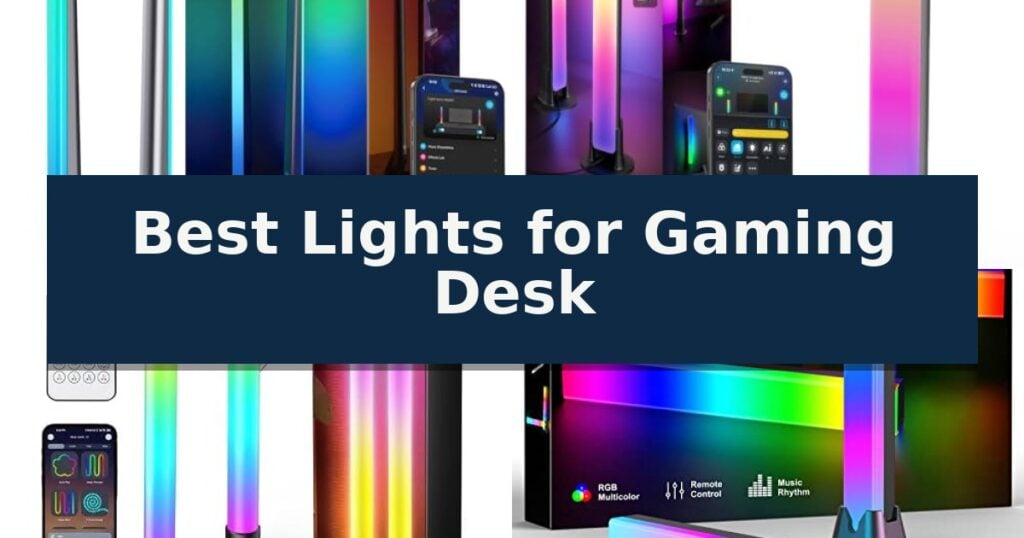
10 Best Lights for Gaming Desk in 2026 Reviews
Quick Comparison
| Product | Best For | Key Strength | Score |
|---|---|---|---|
| Govee RGBIC Gaming Light Bars | Best Overall | RGBIC technology allows for multiple colors on one bar. | 4.9 |
| Govee Smart Light Bar | Matter-Supported Smart Lighting | RGBICWW technology enables simultaneous multi-color and tunable white lighting. | 4.7 |
| Ledagic IC+RGBW Light Bar | Dual-Mode White and Color | Dual-mode functionality allows switching between functional white light and vibrant RGB effects. | 4.8 |
| velted RGBIC Light Bar | Simple Plug-and-Play Setup | Music sync functionality with three distinct modes for immersive lighting. | 4.9 |
| Govee RGBIC LED Strip | Best for Multi-Color Accents | RGBIC technology enables multiple colors on one strip simultaneously. | 4.9 |
| MATICOD RGB LED Strip | Budget-Friendly Ambient Lighting | Music sync capability via a built-in high-sensitivity microphone. | 4.6 |
| DAYBETTER RGB LED Strip | Best for Large Desk Coverage | Extensive 130-foot length provides ample coverage for large setups. | 4.9 |
| Airlonv LED Desk Lamp | Best for Task Illumination | Stepless dimming and adjustable color temperature (2700K-6500K) for precise lighting control. | 4.4 |
| SAMPHON Monitor Light Bar | Space-Saving Screen Lighting | Space-saving design mounts directly to monitors without taking up desk surface. | 4.6 |
| Weilisi Desk Ring Light | Best for Streaming and Video | Space-saving C-clamp design with non-slip silicone base. | 4.3 |
How We Chose
To determine the best lighting for a gaming desk, we evaluate how each product balances ambient visual impact with functional utility. We prioritize models that offer responsive audio syncing, flexible mounting configurations, and intuitive control schemes, ensuring that the lighting enhances your gaming experience without cluttering your workspace or causing unnecessary glare.
- Color technology and dynamic effects capabilities
- Smart home integration and app-based customization
- Mounting versatility and desk footprint requirements
- Audio synchronization responsiveness
- Power delivery and cable management options
1 Govee RGBIC Gaming Light Bars — Best for Immersive Gaming Sync
The Govee RGBIC Gaming Light Bars utilize advanced RGBIC technology to allow multiple colors to display simultaneously on a single bar, creating dynamic, multi-hued lighting effects for any desktop setup. These 16.7-inch bars are designed to enhance visual immersion by reacting directly to audio from both speakers and headphones.
Beyond standard lighting, these bars offer extensive integration options, including support for Razer Synapse 3 and the Govee Desktop App for synchronized PC gaming experiences. Users can manage settings through the Smart Desktop Dial Controller, which provides tactile adjustments for brightness, mode selection, and power, or utilize hands-free control via Alexa and Google Assistant.
Customization is a core feature, with over 60 scene modes and the Govee AI Lighting Bot 2.0, which allows for lighting adjustments through natural conversation or photo input. Connectivity is handled via both Bluetooth and Wi-Fi, enabling deep configuration through the Govee Home App.
While these bars excel at atmospheric lighting, it is important to note that this specific model does not include an integrated camera and does not support screen color picking. The setup is intended for users who prioritize audio-reactive lighting and software-based synchronization over camera-based screen mirroring.
Best for: Gamers who want audio-reactive, multi-color lighting that integrates with Razer Chroma and smart home voice assistants.
Skip if: Users who specifically require camera-based screen color matching to mirror their monitor's exact display content.
- RGBIC technology allows for multiple colors on one bar.
- Razer Synapse 3 integration for synchronized gaming setups.
- Smart Desktop Dial Controller for convenient physical adjustments.
- Audio-reactive lighting that syncs with both speakers and headphones.
- No camera included for screen color picking functionality.
2 Govee Smart Light Bar — Matter-Supported Smart Lighting
The Govee Smart Light Bar utilizes advanced RGBICWW technology to provide tunable cool-to-warm white lighting alongside vivid, segmented color displays. Designed specifically for monitors under 45 inches, this system creates an immersive environment by syncing dynamic lighting effects with the content on your screen or ambient audio.
Integration is a primary focus, featuring Matter-supported connectivity that allows for seamless voice control via Alexa and Google Home without the need for an external hub. The Govee Home App serves as the central control point, offering access to over 60 scene modes, DIY lighting customization, and an AI Generative Lighting bot that translates user intent into specific lighting effects.
Versatility in setup is supported by the included brackets, which allow the bars to be mounted behind a display, stood vertically, or laid flat on a desk surface. With a generous 106-inch cord length, users have significant flexibility in positioning the hardware relative to their power source and gaming setup.
The system is engineered for responsiveness, using a built-in microphone to detect ambient sound for real-time music synchronization. This ensures that lighting transitions remain natural and fluid during gameplay or media consumption, enhancing the overall aesthetic of a gaming workspace.
Best for: Gamers seeking a hub-free, Matter-compatible lighting solution that offers both voice control and deep customization for monitors up to 45 inches.
Skip if: Users with ultra-wide monitors exceeding 45 inches or those who prefer a purely analog, non-smart lighting setup.
- RGBICWW technology enables simultaneous multi-color and tunable white lighting.
- Matter support ensures broad compatibility with smart home ecosystems without a hub.
- Versatile mounting options include vertical, horizontal, or monitor-back placement.
- AI-powered lighting generation simplifies the creation of custom scenes.
- Size limitation restricts optimal performance to monitors under 45 inches.
- App-dependent features require the Govee Home App for full customization.
3 Ledagic IC+RGBW Light Bar — Dual-Mode White and Color
Creating an immersive gaming environment often requires more than just a high-refresh-rate monitor; it demands the right ambient atmosphere. The Ledagic IC+RGBW USB Powered Led Light Bar offers a versatile solution by combining dynamic color-changing capabilities with a dedicated white light mode, allowing users to switch between high-brightness task lighting and vibrant, reactive gaming effects.
These light bars are engineered for convenience, featuring a USB-powered design that connects directly to a PC mainframe or monitor, ensuring they power on and off in sync with your hardware. With a 60-inch cord, the setup offers flexibility for various desk configurations. The integration of a high-sensitivity music sensor allows the lights to react to game audio or music without requiring an external hub, providing a straightforward way to add reactive lighting to your setup.
Customization is managed through the LotusLamp X app or the included 24-button remote control, giving users full command over brightness, color selection, and timing. The system supports 64+ patterns, including strobe, gradient, and chasing effects, which can be adjusted from 1% to full brightness. For those who prefer manual control, a line control switch on the USB port provides quick access to power and mode adjustments.
Whether you are looking to enhance a gaming room or need functional illumination for desk work, the Ledagic IC+RGBW USB Powered Led Light Bar provides a dual-purpose lighting solution. The independent control of the IC+RGB and white LEDs ensures that you do not have to sacrifice utility for aesthetics, making it a practical addition to any modern workstation.
Best for: Gamers and desk users who want a versatile lighting solution that transitions easily between high-brightness white task lighting and reactive RGB gaming effects.
Skip if: Users who require a professional-grade, hub-based smart home ecosystem or those looking for permanent, integrated monitor-mounting hardware rather than a standalone bar design.
- Dual-mode functionality allows switching between functional white light and vibrant RGB effects.
- Audio syncing via a built-in sensor requires no additional hub for reactive lighting.
- USB-powered convenience enables synchronous power control with your PC or monitor.
- Extensive customization through app, remote, and line control options.
- Standalone bar design may not provide the same integrated look as dedicated monitor-backlight strips.
4 velted RGBIC Light Bar — Simple Plug-and-Play Setup
Integrating ambient lighting into a workspace can transform a static setup into a more immersive environment, and the velted RGBIC Light Bar offers a straightforward, plug-and-play solution for this purpose. Designed with IC technology, these bars provide eight dynamic color modes that bring visual interest to a desktop without requiring complex software or network configurations.
The velted RGBIC Light Bar features three built-in music sync modes, allowing the lighting to react to environmental sounds for a more dynamic experience. This functionality is managed via an included remote control or through physical buttons located directly on the light sticks, ensuring reliable operation even if the remote is misplaced.
Versatility is a core component of this design, as the USB-powered interface allows for connection to various sources, including PCs, monitors, game consoles, and standard charging plugs. The removable base design further increases placement options, enabling the bars to be positioned in different orientations to suit specific desk layouts.
Because this system operates independently of WiFi, it provides a stable and immediate lighting experience right out of the box. While it excels at adding color to a room, it is important to note that these bars are designed for ambient effects and do not produce white light, making them best suited for decorative or mood-setting applications rather than task lighting.
Best for: Users seeking a simple, USB-powered ambient lighting solution that reacts to sound without the need for WiFi or complex software setup.
Skip if: Users who require dedicated white light for task illumination or those looking for advanced app-based customization and smart home integration.
- Music sync functionality with three distinct modes for immersive lighting.
- USB-powered design compatible with PCs, consoles, and standard power adapters.
- Dual control options via remote or physical buttons on the units.
- Removable bases allow for flexible placement across various desk configurations.
- No white light output available, limiting the bars to decorative ambient use.
- Lack of WiFi connectivity means no smartphone app integration or advanced smart home automation.
5 Govee RGBIC LED Strip — Best for Multi-Color Accents
The Govee 16.4ft RGBIC LED Strip distinguishes itself by utilizing advanced RGBIC technology, which allows the strip to display multiple colors simultaneously on a single line. This capability creates a dynamic, multi-colored visual effect that provides a more sophisticated aesthetic for a gaming desk than standard, single-color RGB strips.
Beyond its color capabilities, the strip integrates with the Govee Home App to unlock extensive customization. Users can select from 16 million colors and over 64 preset scenes tailored to different moods or activities. The app also serves as a hub for the community to share creative lighting designs, ensuring a steady stream of new inspiration.
For those who prioritize an immersive atmosphere, the Upgraded Music Sync Mode is a standout feature. Using an integrated high-sensitivity microphone, the lights react to audio input across 11 distinct modes, effectively turning the desk setup into a responsive light show that dances to game audio or music.
Installation requires attention to detail to ensure long-term performance. The manufacturer emphasizes the need to clean and dry the mounting surface thoroughly before application, as dust or debris can compromise the adhesive backing. While highly versatile for indoor decor, this model is not intended for outdoor use.
Best for: Gamers looking for dynamic, multi-color lighting effects that can sync with audio and be customized via a smartphone app.
Skip if: Users who require native voice control integration with Alexa, as this specific model does not support it.
- RGBIC technology enables multiple colors on one strip simultaneously.
- Smart APP Control offers deep personalization and access to 64+ preset scenes.
- Upgraded Music Sync Mode provides responsive lighting via an integrated high-sensitivity mic.
- Access to a community-driven DIY platform for sharing and downloading lighting effects.
- No Alexa support for voice-activated commands.
- Surface preparation is critical for proper adhesive longevity.
6 MATICOD RGB LED Strip — Budget-Friendly Ambient Lighting
Transforming a gaming setup often relies on subtle environmental adjustments, and the MATICOD RGB LED Strip offers a versatile solution for adding reactive illumination behind monitors or along desk edges. This 9.84-foot strip utilizes 5050 LED lamp beads to provide a wide spectrum of color, helping to reduce visual fatigue during extended sessions in dark environments.
Functionality is centered around the built-in high-sensitivity microphone, which enables a music sync mode that adjusts lighting patterns based on surrounding audio. This feature allows the lights to respond dynamically to game soundtracks or ambient noise, creating an immersive atmosphere without requiring complex hardware configurations.
Users have three distinct control methods available: the duoCo Strip mobile app via Bluetooth, a 21-key remote, or a physical 3-key controller. The app interface provides access to over 16 million colors and more than 21 dynamic modes, alongside timing and microphone sensitivity adjustments, ensuring the lighting remains customizable to specific preferences.
Installation is designed for simplicity, featuring an adhesive backing that adheres to clean, dry surfaces. The 9.84ft length is specifically scaled for 32-43 inch displays, making it a practical choice for standard gaming monitor setups where a balanced, indirect glow is desired.
Best for: Gamers seeking a budget-friendly, app-controlled lighting solution that syncs with audio to enhance monitor backlighting.
Skip if: Users requiring professional-grade, multi-zone addressable lighting or integration with complex smart home ecosystems beyond basic Bluetooth app control.
- Music sync capability via a built-in high-sensitivity microphone.
- Versatile control options including Bluetooth app, remote, and physical buttons.
- Easy installation with adhesive backing for smooth surfaces.
- Wide color range with over 16 million options and 21+ dynamic modes.
- Limited length of 9.84 feet may not cover larger desk configurations.
- Bluetooth-only connectivity restricts control range compared to Wi-Fi alternatives.
7 DAYBETTER RGB LED Strip — Best for Large Desk Coverage
The DAYBETTER RGB LED Strip provides an expansive 130-foot lighting solution, making it a practical choice for users looking to illuminate large desk setups or entire room perimeters. This system relies on a 24V power supply to maintain consistent brightness across its significant length, ensuring that the light output remains uniform even when extended across multiple surfaces.
Control is managed through the dedicated DAYBETTER app or the included 24-key IR remote, allowing for precise adjustments across 16 million colors. The system features various dynamic modes such as Flashing, Jump, and Fade, which can be tailored to specific preferences. For those integrating lighting into a workspace, the Music Sync feature enables the lights to react to audio input via a smartphone microphone, adding a reactive element to the environment.
Functionality is further extended by Smart Timing Settings, which allow users to schedule automatic on and off times. The inclusion of color memory ensures that the strip returns to the last selected setting upon power-up, reducing the need for constant reconfiguration. These features make it a versatile tool for both aesthetic desk lighting and general room decor.
Proper installation is essential for this product, as the manufacturer specifies that the strip should be unfolded and installed before being connected to power. This precaution helps prevent potential issues during the initial setup phase. With its substantial 130-foot capacity, this kit is well-suited for users who require a single, cohesive lighting system for extensive coverage.
Best for: Users who need to cover large desk areas or entire rooms with a single, app-controlled lighting system.
Skip if: Users with limited desk space or those who prefer a shorter, more compact lighting solution that does not require managing a 130-foot roll.
- Extensive 130-foot length provides ample coverage for large setups.
- Dual control options via smartphone app and IR remote.
- Music Sync functionality allows for reactive lighting effects.
- Smart timing and memory features for automated operation.
- Requires careful installation and unfolding before powering on to ensure proper function.
- Large size may be excessive for smaller, minimalist desk configurations.
8 Airlonv LED Desk Lamp — Best for Task Illumination
Achieving a balanced and well-lit workspace is essential for long sessions, and the Airlonv LED Desk Lamp offers a versatile solution with its 17-inch extra-wide lamp bar. This design provides broad coverage across your desk, ensuring that your monitor and keyboard area remain evenly illuminated without the need for multiple light sources.
The lamp features a highly adjustable 360° flexible gooseneck, allowing you to direct light precisely where it is needed most. Constructed from a combination of aluminum and ABS, the unit is built for effective heat dissipation and supports a long operational lifespan of up to 60,000 hours. For those who prioritize a tidy setup, the integrated wire management feature helps conceal power cables for a cleaner aesthetic.
Customization is a core strength of this model, which includes stepless dimming from 1% to 100% and adjustable color temperatures ranging from 2700K to 6500K. This flexibility allows users to shift between warm, relaxing tones and cooler, focused light depending on the task at hand. The lamp is powered by 100 high-quality beads designed to minimize blue light hazards and glare, promoting eye comfort during extended use.
Installation is straightforward thanks to the included metal clamp, which secures the lamp to desktops up to 2.36 inches thick. The unit is compatible with monitor setups up to 30 inches, providing enough clearance for most standard configurations. Every purchase includes a 5V/3A power adapter, ensuring the device is ready for immediate use out of the box.
Best for: Users seeking a space-saving, highly adjustable lighting solution that can clamp directly to a desk and clear monitor setups up to 30 inches.
Skip if: Users who require a freestanding lamp base, as this model relies exclusively on a clamp mounting system.
- Stepless dimming and adjustable color temperature (2700K-6500K) for precise lighting control.
- 360° flexible gooseneck allows for full control over light direction.
- Wide 17-inch lamp bar provides broad coverage for large workspaces.
- Integrated wire management keeps the desk surface organized.
- Clamp-only mounting limits placement options to desk edges.
- Fixed power adapter requires proximity to a wall outlet.
9 SAMPHON Monitor Light Bar — Space-Saving Screen Lighting
Optimizing a workspace for extended sessions requires balancing illumination with available surface area. The Samphon Monitor Light Bar addresses this by utilizing a patented counterweight clip that secures the 11.8-inch lamp directly to the top of a monitor, effectively eliminating the need for a bulky lamp base on your desk.
This light bar is engineered for eye-friendly operation, featuring a 45-degree lighting angle that directs illumination onto the screen and desk surface rather than into the user's eyes. This design choice helps minimize reflections and potential digital eye strain, providing a more comfortable environment for long hours of computer use.
Performance is managed through a mechanical switch on the right side of the unit, which offers stepless dimming and three color temperatures ranging from 3000K to 6500K. The device includes a built-in memory function that automatically recalls your previous settings, ensuring consistency every time you power it on.
Powered via a standard USB connection, the Samphon Monitor Light Bar is compatible with computers, adapters, and mobile power banks. It provides up to 800 lux of central brightness across a 30-by-20-inch area, delivering uniform, wide illumination that effectively removes dark spots from your immediate workspace.
Best for: Users with limited desk space who require a clutter-free, adjustable lighting solution for their monitor setup.
Skip if: Users who prefer a traditional desk lamp with a flexible neck for positioning light at extreme angles away from the monitor.
- Space-saving design mounts directly to monitors without taking up desk surface.
- Stepless dimming and memory function allow for precise, consistent lighting control.
- Eye-friendly 45-degree beam reduces screen glare and eye strain.
- Broad compatibility via USB power source.
- Fixed mounting position is limited to the top of the monitor screen.
10 Weilisi Desk Ring Light — Best for Streaming and Video
The Weilisi Desk Ring Light features a versatile telescoping stand that extends up to 11.42 inches, providing the necessary height flexibility to optimize webcam coverage for video conferences and gaming setups. This compact lighting solution is designed to integrate seamlessly into a workspace, utilizing a heavy-duty metal C-clamp with a maximum width of 2.34 inches to secure the unit to a desk surface without occupying valuable floor space.
Engineered with Edge-lit LED technology, this ring light delivers uniform and diffused illumination intended to reduce shadows on the subject. Users can customize their environment using the included 5V/3A power adapter, which supports 10 brightness levels and 3 color temperatures. These adjustments allow for precise control over the lighting quality during live streaming, recording, or general office tasks.
The physical design prioritizes adaptability, featuring a 360-degree rotating ring and a 180-degree adjustable light head. This range of motion enables users to direct light from various angles, including top-down orientations for detailed tasks or specific camera framing. The inclusion of non-slip silicone pads on the clamp base protects desk surfaces from scratches while maintaining a stable mount.
Installation is straightforward, making this a practical addition for those requiring consistent lighting for video calls, gaming, or content creation. By combining a space-saving mounting system with adjustable color and intensity settings, the Weilisi Desk Ring Light provides a functional tool for enhancing subject visibility in a home office or gaming environment.
Best for: Users needing a space-saving, adjustable lighting solution for video conferencing, streaming, or gaming that mounts directly to a desk.
Skip if: Users who require a floor-standing tripod or a larger lighting array for professional studio-grade photography.
- Space-saving C-clamp design with non-slip silicone base.
- Highly adjustable with 360-degree rotation and 180-degree head tilt.
- Versatile lighting controls featuring 10 brightness levels and 3 color temperatures.
- Includes a telescoping stand for flexible height positioning.
- Limited to desk-mounting configurations only.
- Requires a dedicated power adapter connection.
Best Lights for Gaming Desk Buying Guide
RGBIC vs. Standard RGB
RGBIC technology allows a single light bar or strip to display multiple colors simultaneously, creating fluid, multi-colored gradients. This is a significant upgrade over traditional RGB, which typically displays only one color across the entire length of the device.
For gaming setups, RGBIC provides a more dynamic and immersive backdrop. It allows for chasing effects and complex light shows that react to on-screen action or music, whereas standard RGB is limited to solid color shifts or basic cycling.
Placement and Mounting
The physical form factor of your lighting determines how it interacts with your monitor and desk surface. Light bars are typically designed to stand vertically or lay flat behind a screen, while LED strips offer the flexibility to adhere to the underside of a desk or the back of a monitor.
Consider the size of your desk and monitor when choosing a mounting style. Vertical bars are ideal for flanking a monitor to frame your view, whereas strips are better suited for creating an under-glow effect that illuminates the entire desk surface.
Smart Control and Ecosystems
Modern gaming lights often integrate with smart home platforms like Alexa, Google Assistant, or Matter. This allows you to control your lighting via voice commands or automate schedules so your desk lights turn on and off with your other smart devices.
Check if your preferred model requires a proprietary hub or if it connects directly via Wi-Fi or Bluetooth. Direct-connect models are generally easier to set up, while hub-based systems can offer more stable performance in larger smart home networks.
Audio Synchronization
Many gaming lights feature built-in microphones that detect ambient sound to sync lighting effects with your game audio or music. This feature adds a reactive layer to your setup, making the lighting feel like a natural extension of your gameplay.
Look for models that offer adjustable sensitivity settings for the microphone. This ensures the lights react appropriately to the volume of your audio without being triggered by background noise or conversation.
Task Lighting Considerations
While RGB lighting is excellent for atmosphere, it is not a substitute for proper task lighting. If you use your gaming desk for reading or detailed work, consider a dedicated monitor light bar or a clamp-on desk lamp with adjustable color temperature.
A high-quality task light should provide flicker-free illumination and allow you to adjust the brightness to reduce eye strain. Many modern monitor light bars are designed to sit on top of your screen, saving valuable desk space while providing focused light on your keyboard and documents.
Frequently Asked Questions
Do I need a hub for these gaming lights?
Most modern gaming lights, including those from Govee and other brands listed, connect directly via Wi-Fi or Bluetooth and do not require a separate hub.
Can I sync these lights with my PC games?
Some models, like the Govee H6047, support Razer Synapse 3, allowing for synchronization with PC gaming peripherals and software-based lighting effects.
Will these lights cause glare on my monitor?
If placed behind the monitor, these lights should provide indirect ambient glow. Avoid pointing them directly at the screen to prevent distracting reflections.
Are these lights powered by USB?
Many compact light bars and strips are USB-powered, making them easy to plug directly into your PC or monitor's USB port for synchronized power.
Can I cut LED strips to fit my desk?
Most LED strips are cuttable at designated points, but always check the manufacturer's instructions for your specific model before attempting to modify the length.
Conclusion: Our Top Pick
Our top pick is Govee RGBIC Gaming Light Bars. Choosing the right lighting for your gaming desk depends on whether you prioritize immersive RGB effects or functional task illumination. By selecting a model that matches your desk size and smart home preferences, you can significantly enhance both the look and utility of your gaming space.
Whether you opt for the dynamic, multi-color capabilities of RGBIC light bars or the expansive coverage of LED strips, ensure your setup allows for easy control and proper cable management to keep your desk looking clean and professional.