 critical cactus
UGREEN Mac mini Dock is our top recommendation for the Best Mac Mini External Storage because it combines an integrated M.2 NVMe SSD enclosure with a comprehensive 11-in-1 connectivity hub in a chassis designed to match the Mac mini's footprint. For users prioritizing a sleek, minimalist aesthetic, the Satechi Mac mini Hub offers a refined aluminum build with essential front-facing ports, while the TobenONE Mac mini Dock serves those who require the most extensive port selection for complex multi-monitor workflows.
Selecting the right storage solution involves balancing your need for high-speed data access against the physical constraints of your workspace. Integrated docks are ideal for keeping your desk tidy by housing your SSD directly beneath the computer, whereas portable drives offer the flexibility to move your data between different machines without needing a permanent desktop setup.
When evaluating these options, consider how much you rely on peripherals like SD cards or external displays. While some docks provide power button access to simplify your daily startup, others focus purely on maximizing data transfer speeds or providing additional USB-A and USB-C ports for legacy and modern accessories alike.
When building your Best Mac Mini Desk Setup, choosing the right storage dock is a foundational step for a productive workspace. These storage solutions are essential components among the Best Mac Desk Accessories that help keep your workstation functional and clutter-free.
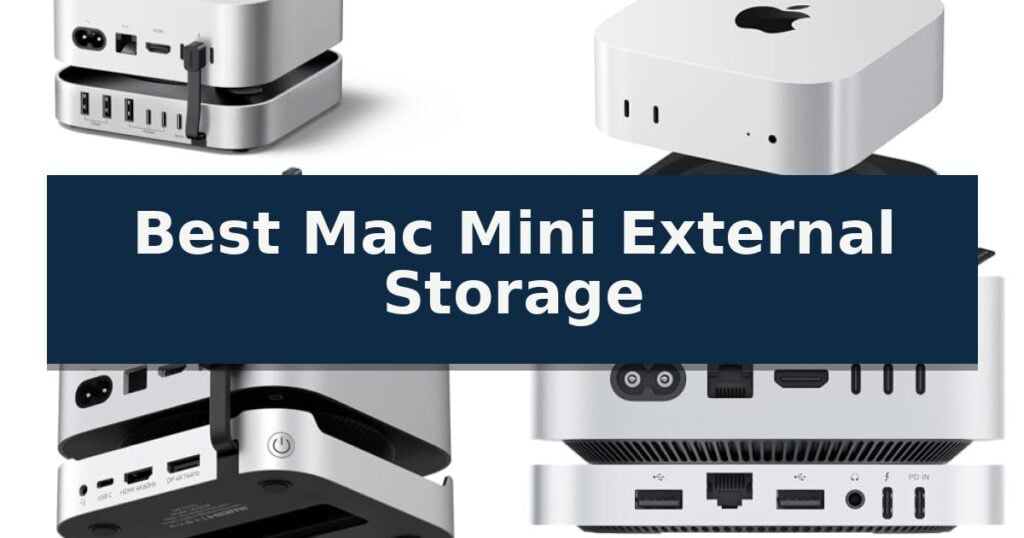
10 Best Mac Mini External Storage in 2026 Reviews
Quick Comparison
| Product | Best For | Key Strength | Score |
|---|---|---|---|
| UGREEN Mac mini Dock | Best Overall | Integrated 8TB SSD expansion capability for high-capacity storage. | 4.9 |
| Satechi Mac mini Hub | Sleek Aluminum Desktop Stand | Integrated NVMe SSD enclosure for up to 4TB of additional storage. | 4.3 |
| Tobenone Mac mini Dock | Most Versatile Port Selection | Massive 8TB storage expansion via internal M.2 NVMe SSD enclosure. | 4.6 |
| Beelink EX Mate Mini-B | High-Speed 80Gbps Connectivity | Pre-installed 2TB NVMe SSD with expansion potential up to 8TB. | 4.3 |
| RayCue Mac mini Dock | Interference-Free Wireless Performance | 8TB M.2 NVMe SSD expansion slot for high-capacity storage needs. | 4.4 |
| Samsung T7 Portable SSD | Fastest Compact Solid State Storage | Fast PCIe NVMe performance with speeds up to 1,050 MB/s. | 4.8 |
| LaCie Rugged Mini Drive | Best for Rugged Field Work | Shock, dust, and water-resistant design for durability. | 4.3 |
| Seagate Portable Hard Drive | Simple High-Capacity Backup | 2TB high-capacity storage for extensive file libraries. | 4.7 |
| YOTUO External Hard Drive Hub | All-in-One Storage and Connectivity | All-in-one functionality combining 1TB storage with a 7-in-1 hub. | 4.4 |
| UnionSine Portable Hard Drive | Ultra-Slim Budget Friendly Pick | Ultra-slim and portable design fits easily into a pocket. | 4.8 |
How We Chose
To determine the best Mac Mini external storage, we evaluated each device based on its ability to integrate seamlessly into a professional desktop environment. We prioritized units that offer reliable NVMe SSD support, robust port connectivity, and effective thermal designs to ensure consistent performance during intensive file transfers and daily creative workflows.
- Storage capacity and expansion potential
- Data transfer speed and interface compatibility
- Physical footprint and integration with Mac mini design
- Port variety and peripheral connectivity
- Thermal management and cooling efficiency
1 UGREEN Mac mini Dock — Best for Integrated SSD Expansion
Expanding the storage capacity of a modern desktop setup often requires balancing physical space with high-speed data access. The UGREEN Mac mini Dock addresses this by integrating an M.2 NVMe SSD enclosure directly into a form factor designed to sit beneath your computer, effectively turning a compact workstation into a high-capacity hub.
This device supports up to 8TB of expandable storage via M.2 NVMe SSDs, accommodating various drive sizes including 2230, 2242, 2260, and 2280. By utilizing a 10Gbps connection, it facilitates rapid file transfers, which is essential for workflows involving 4K video editing or large-scale data backups.
Beyond storage, the unit functions as an 11-in-1 connectivity hub. It provides a comprehensive array of ports, including three USB-A 3.2 (10Gbps) ports, two USB-A 3.0 (5Gbps) ports, two USB-C 3.2 (10Gbps) ports, and a UHS-I SD/TF card reader. This configuration allows users to connect multiple peripherals without relying on a separate dongle.
The design is precision-engineered to match the aesthetic of the Mac Mini, featuring a built-in power button lever that allows you to activate the computer without lifting the unit. It also includes anti-slip silicone pads to ensure stability on your desk, while the included short cable helps maintain a clean, organized workspace.
Best for: Users who need to consolidate external storage and peripheral connectivity into a single, space-saving desktop footprint.
Skip if: Users who require Thunderbolt-speed data transfers or those who prefer a standalone external drive enclosure without additional port expansion.
- Integrated 8TB SSD expansion capability for high-capacity storage.
- 11-in-1 connectivity including high-speed 10Gbps USB-C and USB-A ports.
- Precision-engineered design that matches the Mac Mini aesthetic and includes a convenient power button lever.
- Integrated SD/TF card reader for efficient media management.
- SSD not included, requiring a separate purchase for storage functionality.
- External power adapter recommended for optimal performance when using multiple high-draw devices simultaneously.
2 Satechi Mac mini Hub — Sleek Aluminum Desktop Stand
Managing storage and peripheral connectivity for a Mac mini often leads to cluttered desks and limited port access. The Satechi Mac mini M6, M5 Pro, M4 Hub & Stand with NVMe SSD Enclosure addresses these challenges by integrating an NVMe SSD enclosure and a 5-in-1 front-facing hub directly into a compact, aluminum stand designed to sit beneath your computer.
This hub supports M.2 NVMe SSDs (sizes 2230, 2242, 2260, and 2280) with data transfer speeds up to 10Gbps, providing a streamlined way to expand your system's storage capacity by up to 4TB. The enclosure is engineered for optimized self-cooling, featuring bottom vents and a recessed top to ensure consistent airflow without interfering with the Mac mini's internal cooling system.
Beyond storage, the unit enhances usability with front-accessible ports, including two USB-A 3.2 ports capable of 10Gbps, a USB-A 2.0 port, and a UHS-II SD card reader for efficient media transfers. The build quality utilizes industry-grade aluminum, maintaining a cohesive aesthetic with the Mac mini while providing a dedicated power button for convenience.
Installation is straightforward, as the package includes the necessary screw, screwdriver, and thermal pad. Users should note that this hub is compatible with single-sided M.2 NVMe SSDs only; double-sided drives or those with pre-installed heatsinks are not supported. By consolidating storage and connectivity, this stand provides a practical solution for maintaining a clean and functional workspace.
Best for: Users seeking to consolidate external storage and front-facing peripheral connectivity into a single, space-saving stand for their Mac mini.
Skip if: Users who require double-sided M.2 NVMe SSDs or those who prefer a standalone, portable external drive enclosure.
- Integrated NVMe SSD enclosure for up to 4TB of additional storage.
- Front-facing connectivity including USB-A ports and a UHS-II SD card reader.
- Optimized cooling design that protects airflow for the Mac mini.
- Industry-grade aluminum construction that matches the Mac mini aesthetic.
- Incompatible with double-sided SSDs or drives with pre-installed heatsinks.
- Limited to single-sided M.2 NVMe SSDs for installation.
3 Tobenone Mac mini Dock — Most Versatile Port Selection
Managing a cluttered workspace while expanding your Mac mini's capabilities requires a solution that integrates storage and connectivity without sacrificing desk space. The TobenONE 13-in-1 Mac mini M6, M5, M4 Dock with 8TB SSD NVMe Enclosure addresses this by combining a high-speed hub, an internal drive bay, and a stable desktop stand into one streamlined unit.
This dock features an M.2 NVMe SSD enclosure that supports up to 8TB of storage at 10Gbps transfer speeds, providing a local, high-capacity alternative to cloud-based storage. It is engineered for creators and professionals handling 4K video or large RAW image files who require immediate access to their data without the latency of external hard drives.
Connectivity is a primary focus, offering 13 ports including DisplayPort (4K@144Hz) and HDMI (4K@60Hz) for multi-monitor configurations. The hub also includes two 10Gbps USB-A 3.2 ports and dedicated SD/microSD card readers, ensuring rapid file transfers. A 3.5mm audio jack is integrated for direct headset access during calls or editing sessions.
Designed specifically for the Mac mini M6, M5, M4, and M4 Pro, the dock includes a built-in power button that allows you to turn on your computer without reaching behind the chassis. The unit is secured by four internal baffles and anti-slip pads, ensuring a stable, wobble-free foundation that functions as a natural extension of your workstation.
Best for: Creative professionals and power users who need to consolidate external storage, multi-monitor support, and peripheral connectivity into a single, space-saving desktop stand.
Skip if: Users with a Mac Studio, Mac mini M1/M2, or other non-specified Mac models, as the physical fit and port alignment are precision-engineered exclusively for the M4, M5, and M6 series.
- Massive 8TB storage expansion via internal M.2 NVMe SSD enclosure.
- 13-in-1 connectivity including high-refresh-rate display outputs.
- Integrated power button for convenient access without reaching behind the Mac.
- Stable, precision-fit design with anti-slip pads and internal baffles.
- Not compatible with Mac Studio or earlier M1/M2 Mac mini models.
- SSD not included, requiring a separate purchase for storage functionality.
4 Beelink EX Mate Mini-B — High-Speed 80Gbps Connectivity
Integrating high-speed storage directly into your workspace, the Beelink EX Mate Mini-B serves as a dedicated docking station designed to sit flush with the Mac mini M4. This unit prioritizes data accessibility by offering a pre-installed 2TB NVMe SSD, providing immediate expanded capacity for creative workflows and large file management.
Beyond its primary storage role, the device functions as a comprehensive connectivity hub. It supports data transfer speeds up to 80Gbps via USB-C, ensuring rapid movement of 4K or 8K content. The inclusion of an SD4.0 slot, capable of speeds up to 300MB/s, caters specifically to photographers and videographers who require efficient media offloading.
The hardware design emphasizes a compact footprint, measuring only 16mm in thickness. This slim profile allows it to stack neatly above or below the Mac mini M4, maintaining a clean desktop aesthetic. For networking, the integrated 2.5G Ethernet port provides a stable, high-bandwidth connection, while dual audio jacks allow for convenient switching between headphones and speakers.
Versatility is a core component of the Beelink EX Mate Mini-B, which features an additional M.2 2280 PCIe slot that supports expansion up to 8TB. Power management is flexible, allowing the dock to draw power directly from the Mac mini for low-draw peripherals or via an external PD adapter when handling high-power devices.
Best for: Users seeking a space-saving, integrated storage and connectivity solution specifically tailored for the Mac mini M4.
Skip if: Users who require portable, pocket-sized external drives or those who do not need the additional docking ports and desktop-stacking form factor.
- Pre-installed 2TB NVMe SSD with expansion potential up to 8TB.
- 80Gbps high-speed data transfer via USB-C.
- Integrated 2.5G LAN and SD4.0 card reader.
- Slim 16mm design that stacks seamlessly with the Mac mini M4.
- Requires external PD adapter for high-power peripheral support.
- Form factor is optimized for specific desktop stacking rather than general portability.
5 RayCue Mac mini Dock — Interference-Free Wireless Performance
Managing storage and connectivity for a compact desktop setup requires a balance of speed and space efficiency. The RayCue Mac mini Dock addresses this by integrating an 8TB-capable M.2 NVMe SSD enclosure directly into a stand designed to sit beneath your computer, effectively consolidating your peripheral management.
This device functions as a comprehensive 10-in-1 hub, featuring a variety of ports including 10Gbps USB-A and USB-C data connections, alongside 5Gbps ports for standard peripherals like keyboards and mice. It also incorporates a UHS-II SD/TF card reader and a 3.5mm audio jack, providing a centralized point for creative workflows that require frequent media transfers.
A notable design choice is the inclusion of conductive paint shielding, which is engineered to block 5G Wi-Fi interference. This helps maintain stable wireless performance, a common challenge when placing high-speed storage devices in close proximity to a computer's internal antennas.
Thermal management is handled through an optimized design featuring bottom ventilation ports and a recessed top area. This self-cooling structure is intended to maintain stable operating temperatures during sustained data transfers, ensuring that the hub remains efficient even when multiple ports are occupied simultaneously.
Best for: Creative professionals and power users who need to combine high-capacity SSD storage with a wide array of peripheral connectivity in a single, space-saving footprint.
Skip if: Users who do not require additional storage expansion or those who prefer a modular setup with individual, dedicated hubs for specific tasks.
- 8TB M.2 NVMe SSD expansion slot for high-capacity storage needs.
- 10-in-1 connectivity hub including 10Gbps data ports and UHS-II card reader.
- Conductive paint shielding to prevent 5G Wi-Fi interference.
- Optimized thermal design with bottom ventilation for consistent performance.
- SSD not included with the purchase, requiring a separate component acquisition.
- Fixed 20cm cable length may limit placement options depending on desk layout.
6 Samsung T7 Portable SSD — Fastest Compact Solid State Storage
Managing high-resolution media files and expanding your workstation capacity requires reliable, high-speed hardware. The Samsung T7 Portable SSD addresses this by utilizing PCIe NVMe technology, which achieves read and write speeds of up to 1,050/1,000 MB/s. This performance level is designed to handle demanding tasks like 4K video editing and large file transfers, making it a capable companion for users who need to offload data from their primary drive without significant wait times.
Beyond raw speed, the drive features a solid aluminum unibody construction that provides durability against physical impact. It is engineered with shock resistance and fall protection up to 6 feet, ensuring that your data remains secure during transport or accidental drops. Its compact design—measuring just 0.3 inches in height—allows it to integrate into a workspace without occupying significant desk space.
Compatibility is a central design focus, as the drive is built to interface with various systems including PCs and mobile devices. It supports Ultra High Resolution (4K 60fps) video recording directly from compatible cameras and smartphones, such as the iPhone 15 Pro, providing a streamlined workflow for content creators. With capacities reaching up to 4TB, it offers enough headroom for extensive media libraries and project files.
The Samsung T7 Portable SSD is backed by a 3-year limited warranty, reflecting the manufacturer's internal production of firmware and components. By keeping the development of DRAM and NAND in-house, the brand maintains consistent quality control for its storage solutions. This drive serves as a robust, portable storage option for those who prioritize both transfer speed and physical resilience.
Best for: Content creators and professionals who require high-speed data transfers and durable hardware for 4K video editing and large file management.
Skip if: Users who require a drive with integrated hardware-based encryption or those who need a ruggedized, IP-rated enclosure for extreme outdoor environments.
- Fast PCIe NVMe performance with speeds up to 1,050 MB/s.
- Durable aluminum unibody with 6-foot fall protection.
- Extensive compatibility across PCs, mobile devices, and professional cameras.
- Compact, lightweight design for easy portability.
- No IP-rated water or dust resistance specified for the enclosure.
- Performance may vary based on the host device's interface and cable limitations.
7 LaCie Rugged Mini Drive — Best for Rugged Field Work
When managing large media libraries or backups on a Mac Mini, the LaCie Rugged Mini Drive provides a specialized solution designed for physical resilience. Its construction is specifically engineered for all-terrain use, featuring resistance to dust, water, and drops up to 4 feet, making it a practical choice for users who transport their data between environments.
This external drive utilizes a USB 3.0 interface, which supports transfer speeds up to 4 times faster than the older USB 2.0 standard, while maintaining backward compatibility. With a 2TB capacity, it offers substantial space for personal files. The unit also includes built-in password protection to assist with data security.
For Mac users, it is important to note that this drive requires reformatting upon initial setup to ensure full compatibility with macOS. The device is compact, measuring 5.3 inches in length and 3.4 inches in width, and includes a protective case for added utility during travel.
The package provides a 1-month complimentary membership to the Adobe Creative Cloud All Apps Plan, adding value for creative workflows. With a 2-year limited warranty, the hardware is supported for long-term use in various personal computing applications.
Best for: Users who require a portable, shock-resistant storage solution for transporting data between locations.
Skip if: Users who prioritize native, out-of-the-box compatibility without the need for disk reformatting or those who require faster Thunderbolt connection speeds.
- Shock, dust, and water-resistant design for durability.
- Includes a protective case for enhanced portability.
- USB 3.0 connectivity for faster data transfer compared to legacy standards.
- Features built-in password protection for added security.
- Requires manual reformatting to function correctly with macOS systems.
8 Seagate Portable Hard Drive — Simple High-Capacity Backup
Expanding your storage capacity for a Mac Mini is straightforward with the Seagate Portable Hard Drive, which provides a massive 2TB of storage in a compact, travel-friendly form factor. This drive is designed for users who need a simple, reliable solution for offloading files or maintaining backups without the complexity of internal upgrades.
The device features plug-and-play simplicity, requiring no additional software to function. Once connected via the included 18-inch USB 3.0 cable, the drive is automatically recognized by macOS, allowing for immediate drag-and-drop file transfers. Its slim profile, measuring just 0.58 inches in height, ensures it fits easily alongside your existing desktop setup without cluttering your workspace.
Engineered for versatility, this drive works seamlessly with both Windows and Mac environments, making it a flexible choice if you switch between operating systems. The unit includes an Adobe CC trial, adding extra value for creative professionals looking to manage large media libraries or project files directly from external media.
While this drive offers significant capacity, it relies on a standard USB 3.0 connection. Users requiring the absolute fastest data transfer speeds for intensive 4K video editing or high-speed scratch disks may find the interface limitations of a standard HDD a trade-off compared to modern NVMe SSD alternatives.
Best for: Users needing a simple, high-capacity, and affordable external storage solution for backups and file management on a Mac Mini.
Skip if: Users who require high-speed data transfer rates for professional video editing or intensive creative workflows that benefit from SSD performance.
- 2TB high-capacity storage for extensive file libraries.
- Plug-and-play setup with no software installation required.
- Compact and slim design that fits easily on a desk.
- Broad compatibility with both macOS and Windows systems.
- USB 3.0 interface is slower than modern SSD alternatives.
- HDD technology is not optimized for high-speed scratch disk tasks.
9 YOTUO External Hard Drive Hub — All-in-One Storage and Connectivity
Managing storage and connectivity on a compact desktop setup often requires juggling multiple dongles, but the YOTUO External Hard Drive Hub simplifies this by integrating a 1TB hard drive with a 7-in-1 docking station. This all-in-one design allows users to expand their workstation's capacity and port availability simultaneously, reducing cable clutter and streamlining workflows.
The device features a versatile 1TB built-in hard disk alongside a suite of connectivity options, including USB-C, USB 3.2, and USB 2.0 ports. It also includes integrated SD and TF card readers, which are essential for creative professionals who frequently transfer media files. The unit connects to your computer via a dual socket data connection cable, supporting both USB 3.2 and USB-C standards for broad device compatibility.
Designed for portability, the YOTUO External Hard Drive Hub features a compact and lightweight form factor that fits easily into a gear bag. It is compatible with a wide range of operating systems, including Windows, Mac OS, Linux, and Android. Notably, it supports iPhone 15 and later models as well as USB-C equipped iPads, providing a flexible solution for mobile and desktop users alike.
While this hub offers significant utility, users should note that it is specifically designed for devices with USB-C ports. It does not support older Apple devices requiring Lightning adapters, so verifying your hardware's port type is necessary before integration. This device serves as a practical, space-saving tool for those looking to consolidate storage and peripheral management into a single, efficient footprint.
Best for: Users needing to consolidate 1TB of storage and multiple peripheral ports into a single, portable device for a minimalist workstation.
Skip if: Users who require high-speed Thunderbolt connectivity or those who rely on legacy Lightning-port devices that are not compatible with this USB-C hub.
- All-in-one functionality combining 1TB storage with a 7-in-1 hub.
- Broad compatibility with Windows, Mac, Android, and USB-C mobile devices.
- Compact and lightweight design for easy portability.
- Includes SD and TF card readers for efficient media transfers.
- USB-C port requirement limits use with older hardware.
- Not compatible with Lightning-to-USB-C adapters.
10 UnionSine Portable Hard Drive — Ultra-Slim Budget Friendly Pick
Expanding the storage capacity of your workstation requires a reliable and efficient solution that integrates seamlessly into your existing setup. The UnionSine Portable Hard Drive offers a streamlined 500GB capacity, providing a compact, pocket-sized answer for users who need to manage documents, backups, and media files without the complexity of desktop-grade hardware. Measuring just 0.5 inches in height, this drive is engineered for portability, making it an ideal companion for those who frequently move between workstations or need a clutter-free desk environment.
At the core of this device is the JMicron 578 noise-free solution, which facilitates quiet operation while supporting stable data transfers. The drive utilizes a USB 3.0 interface, capable of theoretical read speeds of up to 125MB/s and write speeds of up to 103MB/s. These specifications ensure that routine file transfers remain efficient, while the integrated aluminum anti-interference layer works to manage heat dissipation, protecting the internal components during extended use.
Usability is prioritized through a plug-and-play architecture, which removes the need for driver installations or complex software configurations. Upon connecting the included USB 3.0 cable, the drive is immediately recognized by most systems, allowing for rapid access to stored data. The exterior features a striped non-slip design with rounded corners, which provides a secure grip and enhances the physical durability of the unit during transport.
While the UnionSine Portable Hard Drive is highly effective for general storage tasks, the 500GB capacity is fixed. This makes it a specialized tool for document management and basic backups rather than a solution for high-resolution video editing or massive archival projects. Users with extensive media libraries may find this capacity limiting, though it remains a practical trade-off for the drive's ultra-slim, highly portable form factor.
Best for: Users needing a slim, quiet, and portable storage solution for basic file backups and document management.
Skip if: Users requiring high-capacity storage for professional-grade video editing or massive data archives should look for higher-capacity desktop drives.
- Ultra-slim and portable design fits easily into a pocket.
- Plug-and-play functionality requires no software installation.
- JMicron 578 solution ensures quiet operation and stable data transfer.
- Aluminum anti-interference layer assists with heat dissipation.
- Fixed 500GB capacity may be insufficient for large media collections.
- USB 3.0 speeds are efficient but may be slower than modern NVMe-based external SSDs.
Best Mac Mini External Storage Buying Guide
Integrated Docks vs. Portable Drives
Integrated docks serve as a base for your computer, effectively turning your Mac mini into a more versatile workstation by adding storage and ports in a single footprint. This approach is best for users who want to eliminate cable clutter and keep their desk organized with a permanent, unified hardware setup.
Portable drives, by contrast, offer superior mobility and are better suited for users who frequently move files between locations or need to connect storage to multiple devices. While they lack the port expansion of a dock, they are often more compact and can be easily tucked into a bag for travel.
Understanding NVMe SSD Compatibility
Most modern Mac mini docks support M.2 NVMe SSDs, which provide significantly faster read and write speeds than traditional mechanical hard drives. Buyers should verify the specific M.2 form factors supported, such as 2230, 2242, or 2280, to ensure their chosen drive fits the enclosure.
It is also important to check whether the dock supports single-sided or double-sided SSDs. Some enclosures have strict physical limitations, and attempting to install an incompatible drive can lead to overheating or failure to seat properly within the dock's internal slot.
Connectivity and Port Requirements
The number and type of ports on a dock can drastically change your workflow. Look for a mix of USB-A ports for legacy peripherals like keyboards and mice, and high-speed USB-C ports for modern external drives and fast data transfers.
Creative professionals should also look for integrated SD or microSD card readers, which allow for quick media offloading without needing additional dongles. Ensure the dock's ports provide enough bandwidth to handle your specific devices simultaneously without causing connection drops.
Thermal Management and Reliability
High-speed NVMe storage generates significant heat during sustained operations like 4K video editing or large backups. Docks with built-in ventilation or aluminum housings are generally more effective at dissipating heat and maintaining consistent performance over long periods.
Avoid placing docks in enclosed spaces where airflow is restricted. Proper cooling not only prevents thermal throttling of your SSD but also extends the lifespan of the internal components and ensures the stability of the connected peripherals.
Power and Setup Considerations
Some docks draw power directly from the Mac mini, while others require an external power adapter to support multiple high-draw devices. If you plan to connect several external drives or power-hungry peripherals, an externally powered dock is usually the safer choice.
Check the included cable length to ensure it reaches your Mac mini comfortably without creating tension on the ports. A well-designed dock should also feature anti-slip pads to keep the unit stable when you are plugging or unplugging devices from the front panel.
Frequently Asked Questions
Do these docks come with an SSD included?
Most Mac mini docks are sold as enclosures, meaning you must purchase and install your own M.2 NVMe SSD separately.
Can I use a dock to power my Mac mini?
No, these docks are designed to provide data and peripheral connectivity; they do not provide power to the Mac mini itself.
Will an external dock interfere with my Wi-Fi signal?
Some high-quality docks use conductive shielding or specific materials to minimize 5G Wi-Fi interference, but placement away from the Mac's internal antennas is always recommended.
Are all M.2 SSDs compatible with these docks?
You must check the dock's specifications for supported M.2 sizes (e.g., 2280) and whether it supports NVMe protocol; SATA-based M.2 drives are typically not compatible.
Do I need to reformat my drive for Mac use?
Yes, most external drives and SSDs should be formatted to APFS or ExFAT using Disk Utility on your Mac to ensure optimal compatibility and performance.
Conclusion: Our Top Pick
Our top pick is UGREEN Mac mini Dock. Choosing the right storage for your Mac mini depends on whether you prioritize a clean, integrated desktop setup or the flexibility of a portable drive. Docks that include NVMe enclosures offer the best balance of performance and organization for most users.
Always verify the specific port requirements and SSD form factors for your chosen model to ensure it meets your long-term storage and connectivity needs. Investing in a high-quality dock with effective cooling will provide the most reliable experience for demanding workflows.