 critical cactus
Brydge MacBook Vertical Dock is our pick for the Best MacBook Desk Docks because it provides an integrated Thunderbolt solution that combines space-saving vertical storage with instant peripheral connectivity.
For users prioritizing a minimalist aesthetic without integrated electronics, the HumanCentric Vertical Laptop Stand offers a reliable, automatic-grip mechanism that secures various laptop thicknesses. If your setup requires managing multiple devices simultaneously, the OMOTON Dual Vertical Laptop Stand provides a versatile dual-slot design to keep your desk clutter-free.
Selecting the right dock involves balancing your need for port expansion against the desire for a clean, organized desktop. While some models focus solely on vertical storage to reclaim desk real estate, others prioritize cable management and cooling efficiency to support high-performance workflows in clamshell mode.
Once you have reclaimed your desk space, you may want to explore other Best Mac Desk Accessories to further refine your productivity.
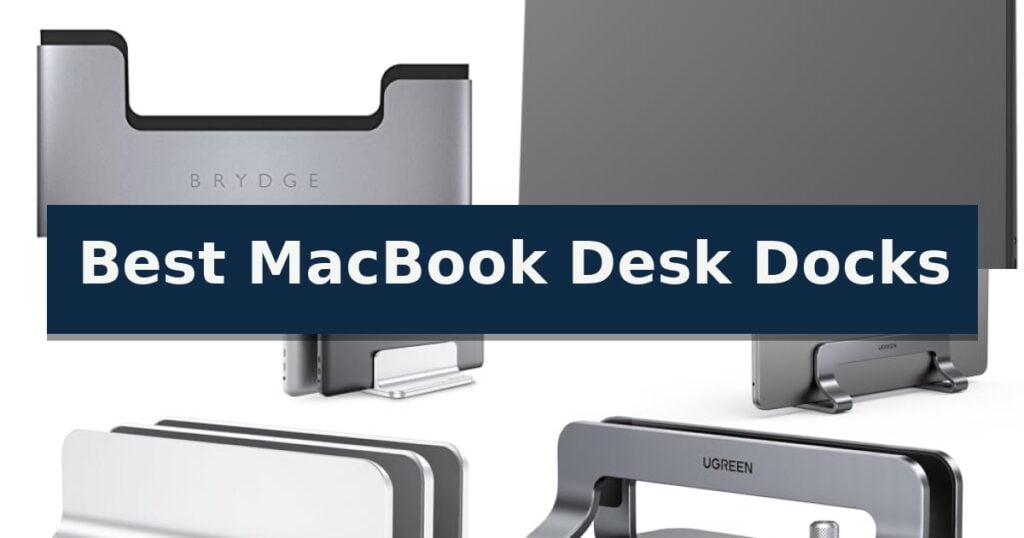
10 Best MacBook Desk Docks in 2026 Reviews
Quick Comparison
| Product | Best For | Key Strength | Score |
|---|---|---|---|
| Brydge MacBook Vertical Dock | Best Overall | Integrated cooling system supports thermal management in clamshell mode. | 4.9 |
| HumanCentric Vertical Laptop Stand | Automatic Grip Mechanism | Automatic grip mechanism requires no manual tools or inserts. | 4.4 |
| OMOTON Dual Vertical Laptop Stand | Supports Two Devices Simultaneously | Adjustable width accommodates devices from 0.55in to 1.65in thick. | 4.6 |
| UGREEN Vertical Laptop Stand | Adjustable Width for Versatility | Adjustable width accommodates various laptop thicknesses from 0.47 to 1 inch. | 4.5 |
| OMOTON Vertical Laptop Stand | Durable Anodized Aluminum | Adjustable width accommodates a wide range of laptop thicknesses. | 4.5 |
| Psitek Vertical Laptop Stand | Tool-Free Width Adjustment | Tool-free adjustment allows for quick changes to slot width. | 4.7 |
| Vaydeer Vertical Laptop Stand | Three-in-One Storage Design | Adjustable width accommodates various device thicknesses. | 4.8 |
| COREMINDED Vertical Laptop Stand | Solid Walnut Aesthetic Finish | Adjustable width (0.5" – 1.5") for a secure fit | 4.4 |
| Nuvograin Vertical Laptop Stand | Natural Wood Construction | 100% natural wood construction for a premium look and feel. | 4.8 |
| Teridokor Under Desk Laptop Mount | Hidden Surface Storage | Sturdy aluminum construction provides a secure, drop-free storage solution. | 4.6 |
How We Chose
When evaluating the best MacBook desk docks, we focus on how each unit balances physical stability with workspace utility. An experienced reviewer assesses the precision of the clamping mechanisms, the quality of protective materials used to prevent scratches, and whether the design actively supports heat dissipation for laptops running in closed-clamshell mode.
- Integrated connectivity vs. passive storage design
- Slot width adjustability and device compatibility
- Material durability and base stability
- Thermal management and airflow support
- Cable management and desk footprint efficiency
1 Brydge MacBook Vertical Dock — Integrated Thunderbolt Connectivity
The Brydge MacBook Vertical Dock transforms your workspace by transitioning your laptop into a space-saving, upright orientation. Designed specifically for the 13-inch MacBook Pro with Touch Bar (2016-2021), this dock utilizes a form-fitting chassis that allows for one-handed docking, instantly connecting your device to peripherals and dual external displays without the need to manage individual cables.
Beyond its primary function as a stand, the unit features an integrated cooling system with dedicated intake and exhaust vents. This design promotes airflow to and from the laptop’s internal cooling components, which helps maintain lower temperatures while the device operates in clamshell mode under heavy processing loads.
The dock is engineered for seamless integration into professional environments, including home media setups and conference rooms. Its integrated Thunderbolt connectivity ensures that your workstation remains organized, effectively clearing clutter from your desktop while providing high-speed access to all connected devices.
Compatibility is strictly limited to 13-inch MacBook Pro models equipped with the Touch Bar manufactured between 2016 and 2021. Users should note that this device is not compatible with MacBook models that lack the Touch Bar interface.
Best for: Users of 13-inch MacBook Pro with Touch Bar seeking to maximize desk space and simplify peripheral management through a vertical, clamshell-mode setup.
Skip if: Owners of MacBook models without a Touch Bar or those using different screen sizes, as the form-fitting design is specific to the 13-inch Touch Bar variant.
- Integrated cooling system supports thermal management in clamshell mode.
- One-handed docking provides instant connection to peripherals and displays.
- Space-saving vertical design reduces desktop clutter.
- Limited compatibility restricted to 13-inch MacBook Pro with Touch Bar (2016-2021) only.
2 HumanCentric Vertical Laptop Stand — Automatic Grip Mechanism
Maximizing your workspace often requires rethinking how you position your hardware, and the HumanCentric Vertical Laptop Stand offers a streamlined solution for those looking to reclaim desk real estate. By holding your device in an upright, closed-clamshell position, this stand allows you to integrate your laptop into a desktop-style setup with an external monitor, keyboard, and mouse while simultaneously protecting the machine from accidental spills.
The standout feature of this model is its automatic grip mechanism, which eliminates the need for manual adjustments or interchangeable inserts. When you place your laptop into the stand, the weight of the device triggers the grip to secure it firmly. It is engineered to accommodate most laptops and MacBooks up to 1 inch in thickness, providing enough clearance to support devices even when they are equipped with protective skins or cases.
Constructed from anodized aluminum alloy with a matte black finish, the stand maintains a minimalist aesthetic that fits well in professional or home office environments. Stability is managed through silicone pads that line the grip to prevent scratches, while silicone feet on the base ensure the stand remains stationary on your desk surface. Its compact footprint measures approximately 10.47 inches in width and 4.37 inches in length, making it a low-profile addition to any workstation.
This design is currently patent-pending and emphasizes a balance between functional organization and visual simplicity. Because it requires no tools for setup, it is a straightforward accessory for users who frequently transition between mobile and stationary computing. The combination of durable materials and a self-adjusting fit makes it a practical choice for maintaining a clean, efficient desk layout.
Best for: Users who want to save desk space by using their laptop in a closed-clamshell mode with an external monitor.
Skip if: Users with laptops thicker than 1 inch or those who require frequent access to their laptop screen while it is docked.
- Automatic grip mechanism requires no manual tools or inserts.
- Anodized aluminum alloy construction provides a durable and sleek build.
- Silicone padding protects the laptop from scratches while ensuring a secure hold.
- Space-saving design effectively organizes work areas.
- 1-inch thickness limit restricts compatibility with thicker or ruggedized laptops.
- Closed-clamshell orientation may not be suitable for users who need to use the laptop screen as a secondary display.
3 OMOTON Dual Vertical Laptop Stand — Supports Two Devices Simultaneously
Managing multiple devices on a crowded workspace requires a solution that prioritizes both stability and efficient use of vertical space. The OMOTON Dual Vertical Laptop Stand addresses this by providing a dedicated, upright storage rack that keeps your desk organized while accommodating two laptops simultaneously.
Engineered with anodized aluminum alloy, this stand features a CNC-machined finish designed to match the aesthetic of a MacBook. The structure is built for durability, utilizing a wide base to ensure the unit remains stable and prevents accidental tipping, even when supporting heavier devices.
The stand offers significant versatility through its adjustable width mechanism. Users can modify the slot size from 0.55 inches to 1.65 inches, allowing it to securely hold various notebooks, including gaming laptops up to 17.3 inches. To protect the finish of your hardware, the slots are lined with non-toxic, non-slip silicone mats that prevent scratches during insertion and removal.
Beyond its primary function as a storage rack, the OMOTON Dual Vertical Laptop Stand includes non-slip silicone pads on the base to maintain a firm grip on desk surfaces. This combination of scratch-resistant materials and a secure, space-saving design makes it a practical addition for users looking to streamline their workstation setup.
Best for: Users who need to store two laptops vertically to maximize desk surface area while maintaining a clean, professional aesthetic.
Skip if: Users who require a dock with integrated charging ports or data connectivity, as this is a passive storage stand only.
- Adjustable width accommodates devices from 0.55in to 1.65in thick.
- Dual-slot design supports two laptops simultaneously.
- Anodized aluminum construction provides a scratch-resistant and durable frame.
- Silicone padding protects device surfaces from scratches.
- Passive storage only, lacking integrated power or data ports.
- Fixed vertical orientation may not suit all desk configurations.
4 UGREEN Vertical Laptop Stand — Adjustable Width for Versatility
Maximizing desk real estate often requires moving hardware off the surface, and the UGREEN Vertical Laptop Stand provides a dedicated, upright storage solution for your workstation. By holding your device in a vertical orientation, it clears space for external monitors, keyboards, and other peripherals, effectively reducing clutter.
Constructed from premium aluminum alloy, this stand is engineered for stability, ensuring your laptop remains secure without wobbling. The base features non-slip silicone pads to maintain a firm grip on your desk surface, while the interior slot is similarly lined to protect your device from scratches during insertion and removal.
Versatility is a core design element, as the stand features an adjustable width mechanism. By simply twisting the integrated screw, you can customize the slot to fit devices with a thickness ranging from 0.47 to 1 inch. This makes it compatible with a wide array of hardware, including MacBook Air, MacBook Pro, and various gaming laptops up to 17.3 inches.
With a compact footprint of 5.9 by 3.2 by 2 inches, the UGREEN Vertical Laptop Stand is designed for both permanent desk setups and mobile professionals who require an organized workspace on the go. Its minimalist aesthetic integrates easily into most office environments while providing a robust, functional storage tool.
Best for: Users looking to reclaim desk space by storing their laptop vertically while using an external monitor and keyboard.
Skip if: Users who require frequent access to the laptop's built-in keyboard or screen while it is docked.
- Adjustable width accommodates various laptop thicknesses from 0.47 to 1 inch.
- Premium aluminum alloy construction provides a sturdy and stable base.
- Anti-scratch silicone padding protects the laptop finish and prevents slipping.
- Space-saving vertical orientation maximizes usable desk area.
- Manual screw adjustment required to change slot width for different devices.
5 OMOTON Vertical Laptop Stand — Durable Anodized Aluminum
Maintaining a clean and organized workspace is essential for productivity, and the OMOTON Vertical Laptop Stand provides a straightforward solution by cradling your device in an upright position. This space-saving design removes the clutter of a flat laptop from your desk, allowing you to reclaim valuable surface area for other tasks.
Engineered with exquisite workmanship, the stand is constructed from anodized aluminum alloy that has been sandblasted, brushed, and CNC-machined for a refined finish. Beyond its visual appeal, the material is scratch resistant, ensuring the dock maintains its appearance even with daily use in a busy office environment.
Versatility is a key strength, as the adjustable width accommodates a wide range of devices. You can easily modify the dock to fit laptops or notebooks with a thickness between 0.55 inches (14mm) and 2.71 inches (69mm), making it compatible with various MacBook models, Chromebooks, and gaming laptops up to 17.3 inches.
Stability and protection are prioritized through the inclusion of a wide base that prevents the unit from tipping over. Additionally, non-slip silicone mats are integrated into the dock to hold your device securely in place while simultaneously preventing scratches on your laptop's chassis.
Best for: Users looking to maximize desk space by storing their laptop vertically when connected to an external monitor.
Skip if: Users who require a dock with integrated charging ports or data connectivity, as this is a passive storage stand only.
- Adjustable width accommodates a wide range of laptop thicknesses.
- Durable anodized aluminum construction provides a stable and scratch-resistant build.
- Space-saving vertical orientation helps organize cluttered desk surfaces.
- Protective silicone mats prevent device movement and surface damage.
- Single-slot design limits storage to one device at a time.
- Passive stand offers no electronic charging or port expansion capabilities.
6 Psitek Vertical Laptop Stand — Tool-Free Width Adjustment
Maximizing desk real estate often requires a shift in how you store your hardware, and the Psitek Aluminum Vertical Laptop Stand offers a streamlined solution for keeping your workspace organized. By orienting your MacBook or laptop upright, this stand effectively clears your desk surface while promoting better airflow around the device chassis.
Constructed from premium aluminum, the stand features a finish treated with ultra-fine sandblasting and anodizing, matching the aesthetic of modern MacBooks. The design incorporates high-quality stainless steel quick-release screws, allowing for tool-free adjustment of the slot width between 12mm and 42mm. This flexibility ensures compatibility with a wide range of laptop thicknesses without requiring additional hardware.
To protect your equipment, the interior of the slot is lined with non-slip silicone pads. These pads prevent the device from sliding and protect the exterior finish from scratches during insertion or removal. The structural design is intended to facilitate improved heat dissipation, which can be beneficial for maintaining optimal operating temperatures during intensive tasks.
Measuring approximately 5.9 inches in length and 3.7 inches in width, the unit provides a stable, space-saving footprint. Its combination of durable materials and adjustable functionality makes it a practical addition for those looking to manage their desk setup more efficiently.
Best for: Users looking to reclaim desk space by storing their laptop vertically while maintaining a clean, professional aesthetic.
Skip if: Users who require a dock with integrated USB-C connectivity, power delivery, or port expansion capabilities.
- Tool-free adjustment allows for quick changes to slot width.
- Premium aluminum construction provides a sturdy and durable build.
- Non-slip silicone padding protects the laptop from scratches and sliding.
- Improved air circulation design helps with heat dissipation.
- Passive storage only; does not provide any electronic port expansion or charging functionality.
7 Vaydeer Vertical Laptop Stand — Three-in-One Storage Design
Maintaining a clean and efficient workspace often requires vertical storage solutions to reclaim valuable desk real estate. The Vaydeer Vertical Laptop Stand addresses this by providing a dedicated, upright cradle that accommodates a wide range of devices, including MacBooks, iPads, and various PC notebooks up to 17.3 inches.
Engineered for versatility, this stand features an adjustable width mechanism that allows users to customize the fit for devices ranging from 0.55 inches to 1.69 inches in thickness. The inclusion of an Allen wrench ensures that users can secure their hardware firmly, while the 3-in-1 design provides the flexibility to hold a laptop alongside a phone or tablet simultaneously.
Constructed from high-quality ABS plastic, the stand balances a lightweight profile with structural stability to prevent tipping. The interior of the groove is lined with soft silicone mats, which serve to protect the device's finish from scratches during insertion and removal. The surface is polished to provide a smooth, tactile feel.
This accessory is compatible with a broad spectrum of hardware, including the MacBook Pro, MacBook Air, Microsoft Surface, and various models from Dell, Samsung, Lenovo, and HP. Its compact footprint—measuring 5.98 inches in length and 4.8 inches in width—makes it a practical addition for those looking to minimize clutter while keeping their technology accessible.
Best for: Users who want to maximize desk space by storing their laptop and mobile devices in a secure, upright vertical position.
Skip if: Users who require a dock with integrated charging ports or data connectivity, as this is a passive storage stand only.
- Adjustable width accommodates various device thicknesses.
- 3-in-1 design allows for simultaneous storage of multiple devices.
- Soft silicone padding prevents scratches on device surfaces.
- Compact footprint helps organize and save desk space.
- ABS plastic construction may feel less premium than metal alternatives.
- Passive storage only with no built-in charging or port expansion.
8 COREMINDED Vertical Laptop Stand — Solid Walnut Aesthetic Finish
A clean workspace often relies on efficient vertical storage, and the COREMINDED Adjustable Vertical Laptop Stand provides a stable, elevated solution for managing your desk footprint. By utilizing a solid wood and premium weighted metal base, this dock keeps your MacBook upright and secure, effectively clearing valuable surface area for other peripherals.
Designed with versatility in mind, the stand features an adjustable slot width that accommodates devices ranging from 0.5 to 1.5 inches in thickness. This ensures a precise fit for various MacBook models, while the inner felt material lining the slot prevents scratches, maintaining the cosmetic condition of your hardware during daily insertion and removal.
Stability is managed through a combination of the weighted base and an anti-skid silicone layer on the bottom, which prevents the stand from sliding on smooth desk surfaces. The construction is entirely plastic-free, favoring a combination of natural wood and metal to achieve a minimalist, eco-conscious aesthetic that integrates well into professional home office environments.
The COREMINDED Adjustable Vertical Laptop Stand balances functional utility with material quality. It is a straightforward, non-electronic accessory that prioritizes physical protection and space optimization without the complexity of integrated cable management or port replication.
Best for: Users seeking a plastic-free, adjustable vertical stand to maximize desk space while protecting their laptop's finish.
Skip if: Users who require an integrated USB-C hub or port replication, as this is a passive physical stand only.
- Adjustable width (0.5" – 1.5") for a secure fit
- Plastic-free construction using solid wood and metal
- Protective inner felt lining to prevent scratches
- Weighted base with anti-skid silicone for stability
- Passive design lacks integrated charging or data ports
9 Nuvograin Vertical Laptop Stand — Natural Wood Construction
Maintaining a clean and organized workspace often requires vertical storage solutions that reclaim valuable desk real estate. The Nuvograin Adjustable Vertical Laptop Stand addresses this by allowing users to dock their MacBook in a closed-lid state, effectively minimizing its footprint while keeping the device secure.
Crafted from 100% natural wood, this stand provides a distinct aesthetic that integrates well into modern office environments. Its adjustable single-slot mechanism is engineered to accommodate a wide variety of laptop models, ensuring a stable and customized fit regardless of the specific device thickness.
Functionality is further enhanced by the inclusion of an EVA protection pad, which serves to prevent scratches on both the laptop chassis and the desk surface. Additionally, the base features anti-slip pads to maintain stability during use, while the compact dimensions of 7.0 inches by 3.5 inches by 1.65 inches ensure it does not overwhelm the workspace.
This dock is particularly useful for those who utilize external monitors and peripherals, as it facilitates a clutter-free setup while maintaining convenient access to charging ports. By prioritizing both material quality and structural utility, it offers a practical approach to managing hardware in a professional or personal office setting.
Best for: Users who want to save desk space by docking their MacBook vertically while using an external monitor setup.
Skip if: Users who require a dock with integrated USB-C connectivity or port expansion, as this is a passive stand only.
- 100% natural wood construction for a premium look and feel.
- Adjustable single-slot design provides a secure fit for various laptop thicknesses.
- EVA protection pads prevent surface damage to the desk and device.
- Compact, space-saving footprint maximizes available workspace.
- Passive design lacks integrated charging or data ports.
- Single-slot limitation means it cannot hold multiple devices simultaneously.
10 Teridokor Under Desk Laptop Mount — Hidden Surface Storage
Maximizing workspace efficiency often requires moving hardware off the desktop entirely, and the Teridokor Under Desk Laptop Mount provides a robust solution for reclaiming surface area. This system utilizes a sturdy metal construction made from high-quality aluminum, offering a secure alternative to adhesive-based storage methods for expensive equipment.
Designed to accommodate devices up to 2.7 inches (70 mm) thick, this mount is versatile enough to hold laptops, Mac mini M4 docks, Dell micro OptiPlex units, or even DVD players. The three-piece configuration allows for flexible installation spacing, ensuring a custom fit for various hardware widths while maintaining a clean, minimalist aesthetic on your desk.
The manufacturer prioritized hardware protection by positioning the screw holes on the outside of the bracket, which prevents the mounting hardware from scratching the top surface of your devices. Furthermore, the brackets are totally polished to eliminate hard granules that could otherwise damage the bottom of your laptop or dock.
Installation is straightforward, with the rectangle frame design facilitating easy access for the included screws. Because the mount does not obstruct ports or connections, you retain full access to side-mounted inputs, ensuring that your workflow remains uninterrupted while your devices are safely tucked away beneath your wood sit/stand desk.
Best for: Users looking to clear desk space by mounting laptops, docks, or small form factor PCs securely beneath a wood desk surface.
Skip if: Users who require a portable or tool-free mounting solution, or those with glass or metal desks that cannot accommodate screw-in hardware.
- Sturdy aluminum construction provides a secure, drop-free storage solution.
- Non-scratch design features polished brackets and externally positioned screw holes.
- Versatile compatibility supports devices up to 2.7 inches thick.
- Open-frame architecture ensures full access to all device ports and connections.
- Requires permanent installation via screws into a wood surface.
- Not suitable for non-wood desk materials without additional modification.
Best MacBook Desk Docks Buying Guide
Docking Stations vs. Simple Stands
The primary distinction in this category is between active docking stations and passive vertical stands. Active docks, like the Brydge model, feature built-in ports that allow you to connect monitors and peripherals the moment you slide your laptop into the slot.
Passive stands serve strictly as organizers. They are ideal if you already have a separate hub or if you prefer to plug in your cables manually. These options are generally more affordable and offer broader compatibility across different laptop brands and thicknesses.
The Importance of Adjustable Widths
Many modern vertical stands feature adjustable slots that accommodate various laptop thicknesses. This is crucial if you use a protective skin or a slim case on your MacBook, as a fixed-width stand may not provide a secure fit.
Look for models that allow for tool-free adjustments or feature an automatic-grip mechanism. These designs ensure your device remains upright and stable without requiring constant manual tightening of screws or inserts.
Thermal Management and Airflow
Running a MacBook in clamshell mode can generate significant heat, especially during intensive tasks. A well-designed dock should not obstruct the intake or exhaust vents located near the hinge or sides of the chassis.
Stands that elevate the laptop slightly or feature open-air designs promote better airflow. Avoid docks that fully enclose the laptop in a way that traps heat, as this can lead to thermal throttling over extended periods.
Material Quality and Stability
A stable base is non-negotiable for a vertical stand. Anodized aluminum is the industry standard for its durability and aesthetic match with Apple hardware, but the weight of the base is what truly prevents tipping.
Check for non-slip silicone pads on both the base of the stand and inside the slot. These features protect your desk surface from scratches and ensure the laptop stays firmly in place when you are connecting or disconnecting cables.
Maximizing Desk Real Estate
Vertical storage is the most effective way to reclaim desk space. By moving your laptop off the flat surface, you create room for larger monitors, external keyboards, and other essential desk accessories.
Consider the footprint of the stand itself. Some models are designed to be extremely compact, while others offer additional slots for tablets or smartphones, helping you maintain a cohesive and organized workspace.
Frequently Asked Questions
Can I use a vertical dock with a laptop case?
Yes, provided you choose a stand with an adjustable slot width. Ensure the maximum width setting exceeds the combined thickness of your laptop and its case.
Does using a vertical stand affect Wi-Fi or Bluetooth performance?
Generally, no. Most vertical stands are made of aluminum, which does not significantly interfere with wireless signals, provided the antennas are not completely blocked by the stand's structure.
Is it safe to run my MacBook in clamshell mode?
Yes, macOS is designed to support clamshell mode when an external display, keyboard, and mouse are connected. Ensure your dock allows for adequate ventilation.
What is the benefit of an under-desk mount?
Under-desk mounts remove the device from the desktop entirely, offering the ultimate space-saving solution. They are ideal for permanent setups where you do not need to remove the laptop frequently.
Do I need a specific dock for the MacBook Pro versus the MacBook Air?
Most adjustable stands are universal. However, if you choose an active docking station with integrated ports, you must verify that the specific model is compatible with your MacBook's port configuration and generation.
Conclusion: Our Top Pick
Choosing the right dock depends on whether you need integrated port expansion or simply a way to organize your workspace. For those seeking a seamless, all-in-one connection experience, the Brydge MacBook Vertical Dock remains the top choice for its specific compatibility and integrated Thunderbolt functionality.
If you prefer a more flexible, passive solution, the adjustable aluminum stands from brands like OMOTON and UGREEN offer excellent stability and value. Always prioritize a stand with a weighted base and non-slip padding to ensure your device remains secure and your desk remains organized.